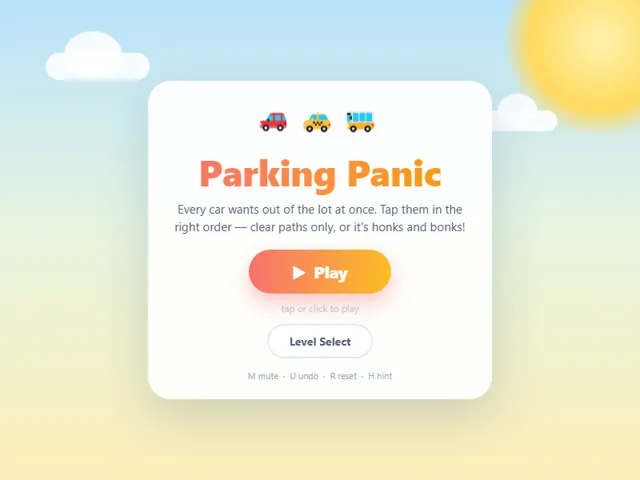
Every car wants out of this jam-packed lot. Tap them in the right order to drive free — misjudge and they bonk with an indignant honk. Sixty sunny puzzles from breezy to bumper-to-bumper.
About Parking Panic
Parking Panic drops you into a lot where every driver decided to leave at exactly the same time. Each car points the way it wants to go, and a single tap sends it rolling — straight ahead, no steering, no second thoughts. If the lane is clear it skids out of the lot in a puff of dust; if something's in the way, you get a honk, a bump, and a dent in your star rating. The whole game is reading the gridlock and finding the one car that frees two more.
Early lots are gentle six-by-six warmups. Later ones pack twenty vehicles, stubborn traffic cones, and full-length buses into a ten-by-ten square, where a careless tap can cost you a perfect run. The best moment is spotting a chain four cars deep — bus out, hatchback out, then the two cars that were pinned against the wall glide free in a row.
It's a tidy fit for short breaks: rounds last a minute or two, progress saves automatically, and a hint is always waiting when the lot stops making sense.
Inside Parking Panic: what we checked
The numbers below come from Parking Panic's own source code, and the screenshots are from our own test run of the game (20 October 2026).
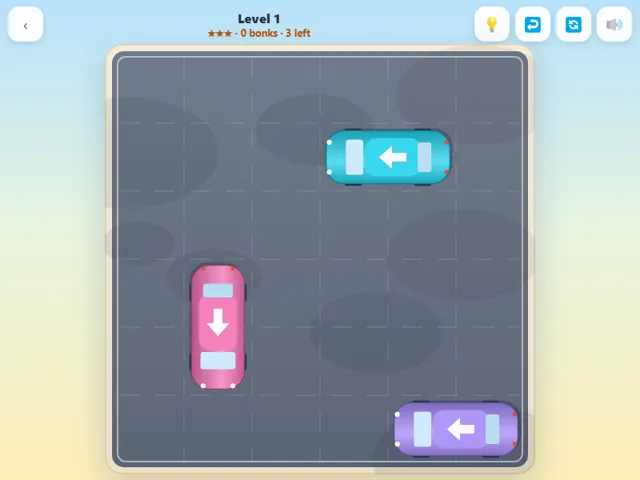
- There are 60 levels. The board grows from 6 × 6 (levels 1 to 10) to 7 × 7, 8 × 8, 9 × 9 and finally 10 × 10 from level 49, and the number of cars rises with it.
- Buses (three squares long) first show up at level 9, and traffic cones that block the lot are added from level 13, up to six of them.
- Stars depend only on bonks, meaning taps on a car that is blocked: no bonks gives three stars, one or two gives two stars, and three or more gives one.
- Undo puts the last car back on the board but does not take a bonk back, whereas Reset restarts the level and clears the bonk count.
- Every level is generated from its number, so level 12 is the same puzzle for everyone each time you play it. The generator rejects layouts that need fewer clearing rounds than the level calls for.
- Keys: U undo, R reset, H hint, M mute. Your furthest level and best star rating for each level are saved in this browser.
Unblocked Chromebook No Download Mobile For Kids Quick Games
How to play Parking Panic
Tap or click a car to drive it straight in the direction its arrow points. If the path is clear it leaves the lot; if it's blocked it honks and stays put. Clear every car to finish the level. Zero bonks earns three stars, two or fewer earns two.
Controls
Desktop: click a car to move it — M mutes, U undoes, R resets, H shows a hint. Touch: tap a car and use the on-screen buttons.
Tips & tricks
- Scan the outer lanes first — cars parked near an edge usually have a clear run, and every exit opens space for the cars behind.
- Cones never move, so treat any lane with a cone as a dead end from that side and plan the detour early.
- Buses free three cells the moment they leave; unpinning a buried bus often unlocks a whole corner of the lot.
- Not sure? Spend a hint instead of guessing — hints are free, but a single bonk costs you the three-star run.
Frequently asked questions
Does Parking Panic save my progress?
Yes — Parking Panic saves your progress and settings in this browser's local storage, so you can pick up where you left off on the same device. Nothing is uploaded and no account is involved — clearing your browser data is what resets it.
Is Parking Panic unblocked at school or work?
Parking Panic is a plain web page of about 38 KB — no plugin, no installer, no app store — so it loads on a Chromebook or a locked-down school or office laptop the same way any other page does, and the whole game arrives in one short download. Whether it opens comes down to your network's filter rather than the game itself.
Who made Parking Panic?
Parking Panic was built in-house by the 360 PlayZone team using open web technology (HTML5), which is why it runs instantly without any download.