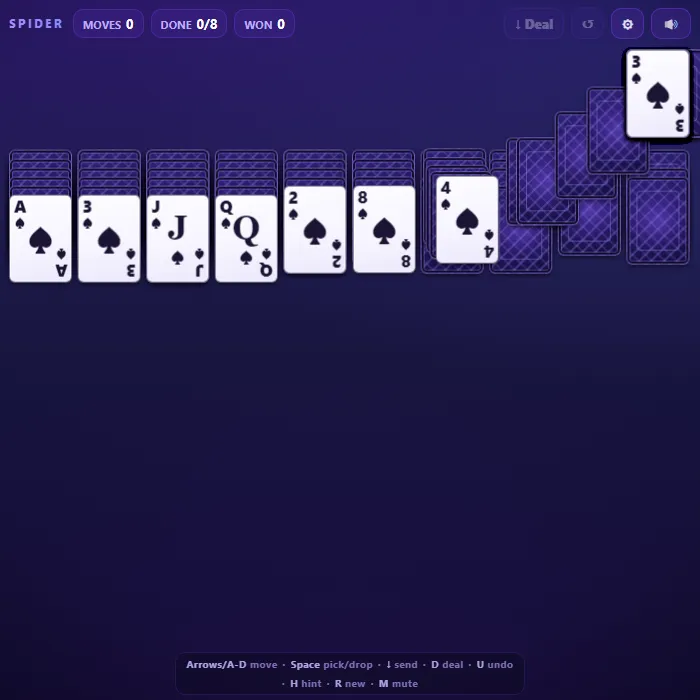
The timeless patience card game, reimagined with a sleek neon-violet table. Build eight descending runs from King down to Ace and clear them all to win. Choose your challenge: a relaxing one-suit game, the classic two-suit deal, or a true expert four-suit test. Play smoothly with drag-and-drop, tap, or full keyboard control.
About Spider Solitaire
Spider Solitaire is one of the most beloved single-player card games, famous for being shipped with desktop computers for decades and for its deeply satisfying blend of luck and long-game planning. Unlike Klondike, there are no foundation piles to fill one card at a time; instead you work across ten tableau columns, stacking cards into long descending sequences. A complete same-suit run from King down to Ace lifts off the table on its own, and your goal is to peel away all eight of them. This original implementation draws every card with crisp CSS and SVG, synthesizes its sound effects with the Web Audio API, and runs entirely offline in a single file. Three difficulty levels let it grow with you, from a gentle one-suit warm-up to the notoriously demanding four-suit board that even veterans rarely beat.
Where Spider Solitaire comes from
Spider is a two-pack patience whose earliest known description is an unsigned article in the November 1937 issue of Ely Culbertson's Games Digest, and the solitaire researcher Michael Keller thinks it very likely an American invention; Albert Morehead and Geoffrey Mott-Smith fixed the modern 54-card tableau in their Complete Book of Solitaire and Patience Games in 1949. Its name refers to the eight foundation piles, one per leg, and several sources record it as a favourite of Franklin Roosevelt. Microsoft shipped it in Plus! for Windows 98 and then with Windows ME and XP, which is where most people met it; this version is 360 PlayZone's own take on the classic. Source.
Inside Spider Solitaire: what we checked
The numbers below come from Spider Solitaire's own source code, and the screenshots are from our own test run of the game (20 October 2026).
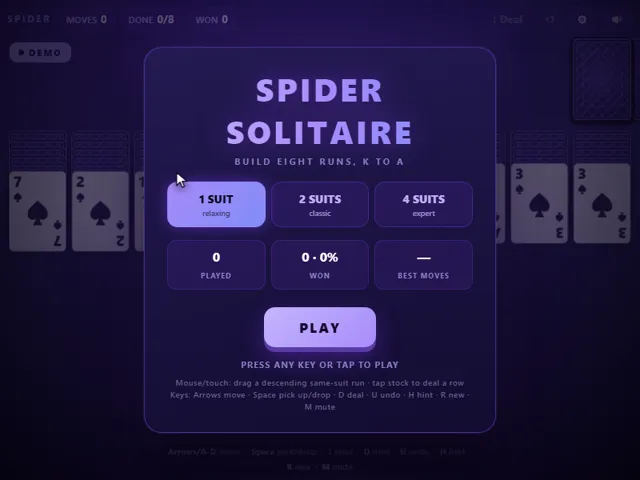
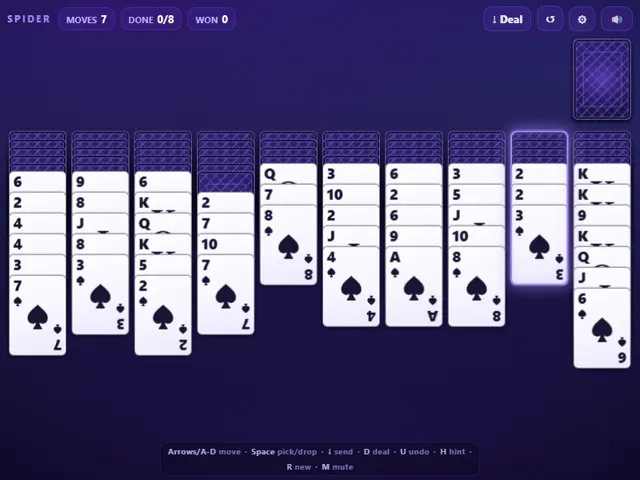
- Two full 52-card packs are used, 104 cards in all. The deal puts 54 on the board (six cards in each of the first four columns, five in the others) and leaves 50 in the stock, enough for five deals of ten.
- You can lay a card on any card one rank higher, whatever its suit. You can only pick up a run that is the same suit and in order, so mixed-suit stacks cannot be moved as one.
- You cannot deal from the stock while any column is empty, so fill every gap first. A deal counts as a move, and Undo can take it back.
- Undo remembers your last 800 moves and puts the move counter back each time. Tapping a card sends it to the best column for it, preferring a same-suit match, and it will not shuffle a whole column into an empty one for nothing.
- The 1, 2 and 4 suit modes use the same 104 cards. Only the number of suits in play changes, which is why the 4-suit game is far harder.
- Games played, games won and your fewest moves for a win are kept in this browser. A game counts as played the moment it is dealt, so abandoned games lower your win rate.
Solitaire Unblocked Chromebook No Download Mobile For Kids Quick Games
How to play Spider Solitaire
Ten columns are dealt face-down with the top card of each turned face up; the rest of the deck waits in the stock at the top-right. Move cards onto a column whose top card is one rank higher (any suit counts for stacking). You can pick up and slide a whole run of cards at once, but only if they form a same-suit descending sequence. When a column holds a full same-suit King-to-Ace run, it automatically flies off to the trophy row. Stuck? Click the stock (or press D) to deal one new card onto every column, but you can only do this when no column is completely empty. Clear all eight runs to win.
Controls
Mouse and touch: drag a card or a same-suit run to another column, or simply tap a movable card to auto-send it to the best spot. Tap the stock pile (top-right) to deal a new row. Keyboard: Left/Right arrows (or A/D-style arrows) move the column cursor, Space picks up the deepest movable run and drops it on the highlighted column (press Space again on the same column to shorten the selection), Down arrow auto-sends the column's top run, D deals a new row, U undoes, H gives a hint, R starts a new game, and M toggles mute.
Tips & tricks
- Try to keep one column empty as a workspace — an empty column can hold any card and is the key to untangling messy stacks.
- Always uncover face-down cards as early as you can; a flipped card opens new options, while buried cards do nothing for you.
- Build runs in a single suit whenever possible. Mixed-suit stacks look tidy but cannot be moved as a group, so they often trap the cards beneath them.
- Before you deal a fresh row from the stock, make every move you can — a new row covers all ten columns and can quickly bury your progress.
Frequently asked questions
Does Spider Solitaire save my progress?
Partly. Spider Solitaire keeps a running win/loss tally and your settings in this browser's local storage; there is no level progress to save. Nothing is uploaded and no account is involved — clearing your browser data is what resets it.
Is Spider Solitaire unblocked at school or work?
Spider Solitaire is a plain web page of about 53 KB — no plugin, no installer, no app store — so it loads on a Chromebook or a locked-down school or office laptop the same way any other page does, and the whole game arrives in one short download. Whether it opens comes down to your network's filter rather than the game itself.
Who made Spider Solitaire?
Spider Solitaire was built in-house by the 360 PlayZone team using open web technology (HTML5), which is why it runs instantly without any download.
Embed Spider Solitaire
From our blog
Spider Solitaire features in Spider Solitaire Online: Rules, Empty-Column Strategy and How to Beat 4 Suits and Klondike Solitaire Online: Rules, Draw-3 Scoring and the Habits That Win More Deals.