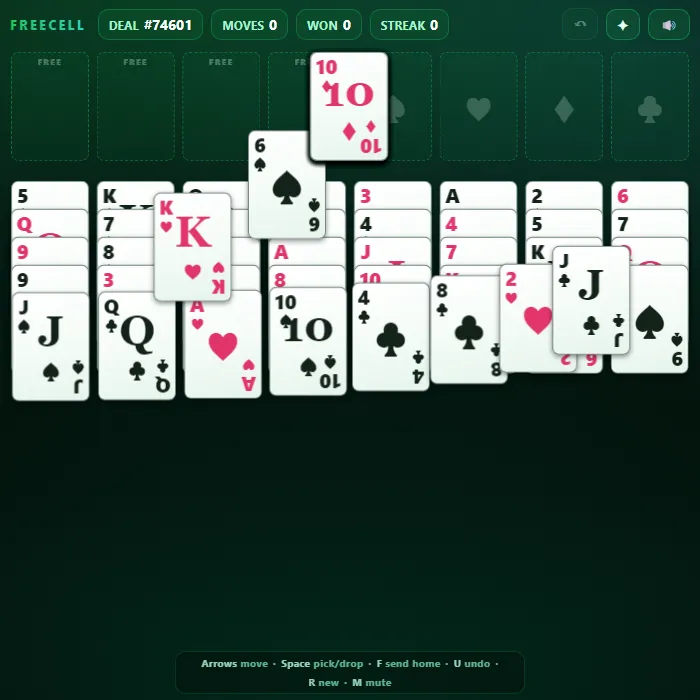
A polished, fully open-information take on FreeCell solitaire. All 52 cards are dealt face-up, so with patience nearly every deal can be solved. Use four free cells as temporary parking, build tidy alternating-color runs in the cascades, and race the whole deck home to the four foundations.
About FreeCell
FreeCell is the thinking person's solitaire: every card is visible from the very first move, so winning is about planning rather than luck. This version deals 52 cards into eight cascades with four open free cells and four suit foundations. Smart supermoves let you slide whole ordered runs at once (limited by your open cells and empty columns), safe cards fly home automatically, and an Auto button finishes the deal the moment it becomes unstoppable. Drag with mouse or touch, or play entirely from the keyboard with a glowing cursor. Built as a single self-contained file with hand-drawn CSS cards, synthesized sound, seeded deals, and saved win/streak stats.
Where FreeCell comes from
FreeCell was created by Paul Alfille, who changed Baker's Game, a solitaire Martin Gardner had described in Scientific American in 1968, to build in alternating colours, and programmed it in 1978 as a medical student on the University of Illinois's PLATO system. Microsoft has shipped FreeCell with Windows since 1995, and of the 32,000 numbered deals in that version only game #11982 is unsolvable; roughly 99.999% of all possible deals can be won. This version is 360 PlayZone's own take on the classic. Source.
Inside FreeCell: what we checked
The numbers below come from FreeCell's own source code, and the screenshots are from our own test run of the game (20 October 2026).
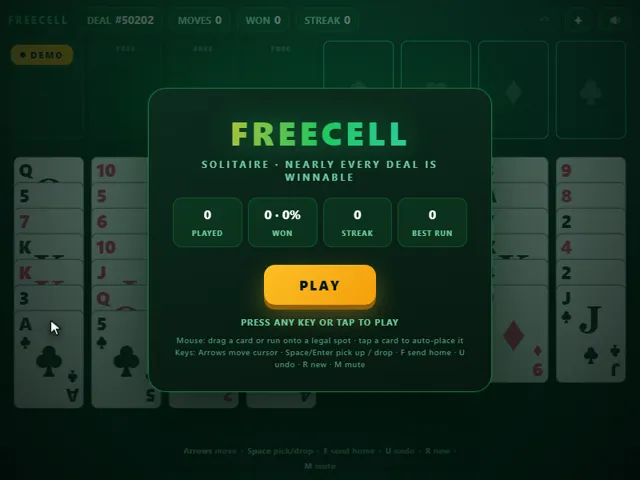
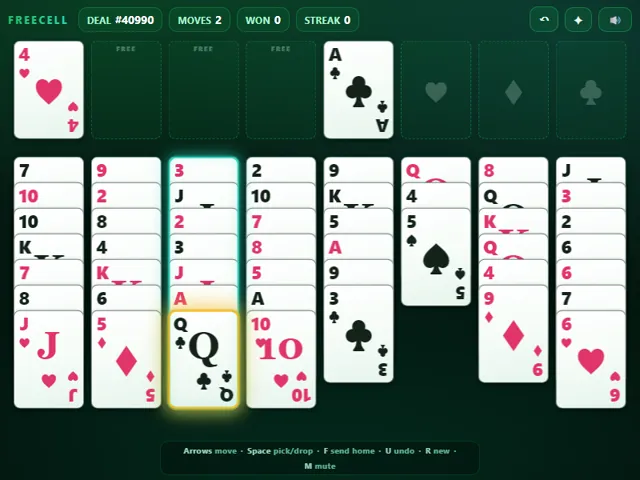
- Every deal has a number, shown at the top, between 1 and 99,999. The game picks one at random and deals it row by row across the eight columns; it does not test the deal for solvability first.
- You can move a whole run in one go if it fits: the limit is (empty free cells + 1) × 2 for every empty column besides the one you are moving to. With all four cells free and no empty column, that is five cards.
- After each of your moves the game sends cards to the foundations for you when it is safe: aces and twos always, and any other card once both foundations of the opposite colour are at least one rank below it.
- Tapping a card auto-places it: first on its foundation, then onto a matching column or an empty one, and only then into a free cell.
- An Auto button appears once the game can see that the rest of the deal can be finished with foundation moves alone.
- Undo (U) steps back one of your moves together with any automatic moves it triggered, up to 600 moves. Your win count and fewest moves in a win are kept in this browser.
Solitaire Unblocked Chromebook No Download Mobile For Kids Quick Games
How to play FreeCell
Move every card to the four foundations, building each suit up from Ace to King. The eight cascades build downward in alternating colors (red on black, black on red). Each of the four free cells holds exactly one card as temporary storage. You can move an ordered run of cards in one go as long as it fits the supermove limit: (1 + open free cells) x 2^(empty columns). Tap or click a card to auto-send it to a foundation, a matching cascade, or an open free cell. Clear the whole deck to win, then chase a longer win streak on the next deal.
Controls
Mouse/touch: drag a card or a valid run onto a legal cascade, free cell, or foundation; single-tap a card to auto-place it (foundation first, then cascade, then a free cell). Keyboard: Arrow keys or WASD move the cursor; Space/Enter picks up the run under the cursor and drops it on the next spot (press again on the same column to select a deeper card); F sends the cursor's top card home; U or Ctrl+Z undoes; R or N deals a new game; M toggles mute; E runs Auto-finish when available.
Tips & tricks
- Empty a whole column early - an empty cascade doubles how many cards you can move at once, and combined with free cells it lets you shift long runs.
- Keep at least one free cell open whenever you can; filling all four with stray cards is the fastest way to get stuck.
- Plan a route to dig out the Aces and low cards first, since they unlock everything above them on the foundations.
- Don't rush every card home - a card sent to a foundation too early can't come back to act as a parent for a run you still need to build.
Frequently asked questions
Does FreeCell save my progress?
Partly. FreeCell keeps a running win/loss tally and your settings in this browser's local storage; there is no level progress to save. Nothing is uploaded and no account is involved — clearing your browser data is what resets it.
Is FreeCell unblocked at school or work?
FreeCell is a plain web page of about 52 KB — no plugin, no installer, no app store — so it loads on a Chromebook or a locked-down school or office laptop the same way any other page does, and the whole game arrives in one short download. Whether it opens comes down to your network's filter rather than the game itself.
Who made FreeCell?
FreeCell was built in-house by the 360 PlayZone team using open web technology (HTML5), which is why it runs instantly without any download.
Embed FreeCell
From our blog
FreeCell features in FreeCell Online: Rules, the Supermove Formula and Why You Never Have to Guess and Spider Solitaire Online: Rules, Empty-Column Strategy and How to Beat 4 Suits.