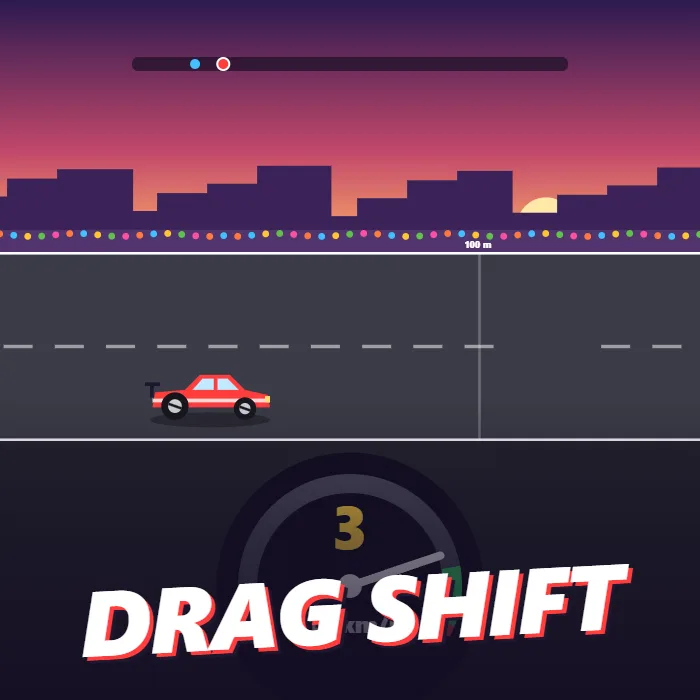
A quarter-mile drag racing game played with one button. Launch on the green light, shift each gear while the needle is in the green zone, fire the nitro, and spend your winnings on upgrades to beat a ladder of faster rivals.
About Drag Shift
Drag Shift is a straight-line race over a quarter mile, 402 metres, against one rival at a time. There is no steering. Everything comes down to three moments of timing, and each race lasts around ten seconds.
The first is the launch. A set of amber lights counts down while the needle on your rev gauge swings back and forth. When the light turns green, you tap, and where the needle is at that instant decides how well the car leaves the line: inside the green band is a perfect launch, outside it the tyres spin and you lose time. Tap before the green and it is a jump start, and the car is held on the line as a penalty.
The second is the gear change. The car has five gears. In each one the needle climbs toward the red line, and the best moment to shift is the narrow green band just before it. Shift there and you get a small burst of speed. Shift too early and the next gear bogs down; leave it too late and the engine hits the limiter and stops pulling. The third is the nitro, a single boost per race that works best once the car is already moving.
Winning pays more than losing, but both pay, and the money goes into four upgrades: engine power, a gearbox that shifts faster and widens the green band, tyres that launch harder, and a longer nitro burn. Every rival is quicker than the last, so the car has to keep improving. Your stage, cash and upgrades are saved in the browser.
Unblocked Chromebook No Download Mobile
How to play Drag Shift
In the garage, buy any upgrades you can afford and press Race. Wait for the green light, then tap while the needle is in the green band to launch. During the run, tap each time the needle reaches the green band near the top of the gauge to change up a gear. Press the nitro button once for a boost. Reach the finish line before your rival to win the prize and move to the next stage.
Controls
Desktop: Space or click to launch and shift, N or Shift for nitro, P to pause, M to mute. Touch: tap anywhere to launch and shift, tap the Nitro button for the boost.
Tips & tricks
- Do not tap the moment the light turns green. Wait the fraction of a second it takes for the needle to reach the green band.
- Use the nitro in second or third gear. In first gear the tyres are still spinning and part of the boost is wasted.
- A perfect shift adds a little speed every time, so four perfect shifts are worth more than one upgrade level.
- Buy Engine first. Power helps in every gear, while Tyres only help in the first second.
Frequently asked questions
How do I get a perfect shift in Drag Shift?
Tap while the needle is inside the green band just below the red line. The band gets wider each time you upgrade the gearbox. A perfect shift gives a small speed bonus.
What happens if I launch before the green light?
It counts as a jump start. Your car is held on the line for most of a second after the green light and then leaves with a poor launch, which usually costs the race.
Is my progress saved?
Yes. Your stage, cash and upgrade levels are stored in your browser and restored the next time you play on the same device.
Does Drag Shift save my progress?
Yes — Drag Shift saves your progress and settings in this browser's local storage, so you can pick up where you left off on the same device. Nothing is uploaded and no account is involved — clearing your browser data is what resets it.