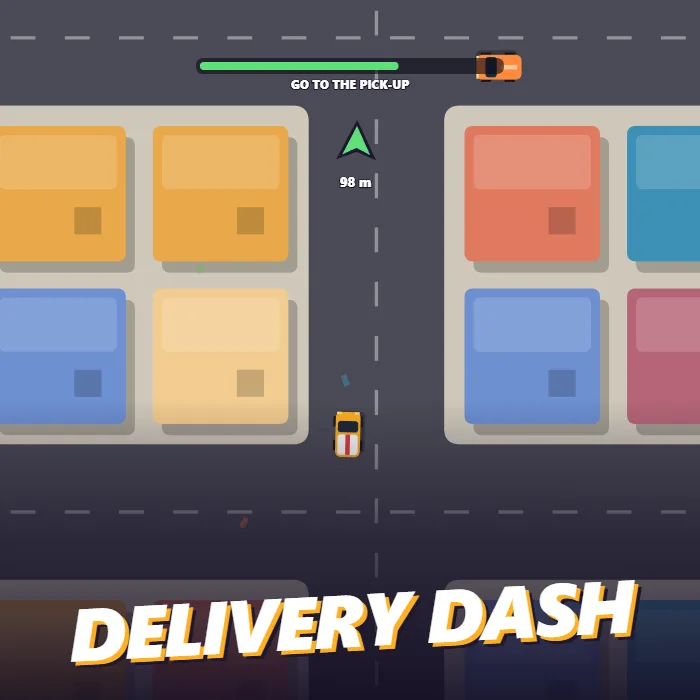
A top-down city driving game. Take the yellow delivery van to the green pick-up point, follow the arrow to the drop, and keep the parcels moving through traffic before the shift clock runs out.
About Delivery Dash
Delivery Dash drops a small yellow van into a city of thirty-six blocks, seen from above: coloured rooftops, a few parks with ponds, a grid of two-way streets and other cars going about their business. Somewhere in that grid a green ring marks a parcel waiting to be collected. Drive into it and a yellow ring appears somewhere else in town, with an arrow at the edge of the screen pointing the way and counting down the metres.
The whole game runs against one clock. You start with forty seconds. Every completed delivery adds more, based on how far the drop was, but the amount shrinks a little with each job, so the first few are comfortable and the later ones have to be driven properly. Delivering quickly also earns a tip on top of the fare.
Driving properly means using the brake. The van has real momentum: it reaches full speed in a couple of seconds, slides if you throw it into a corner, and bounces off buildings with a jolt that kills its speed. The other cars follow the streets and will stop if you cut in front of them, but hitting one costs five rupees and most of your momentum. Carrying a parcel makes the van slightly slower.
On a keyboard you drive with the arrow keys. With a mouse or a touch screen you hold a point on the map and the van steers itself toward it, which makes it playable with one thumb. The shift ends when the clock hits zero, and your best earnings and delivery count are saved.
Unblocked Chromebook No Download Mobile
How to play Delivery Dash
Drive to the green ring to pick up a parcel, then follow the arrow to the yellow ring to deliver it. You must be moving at a sensible speed to collect or drop; flying through at top speed does not count. Each delivery pays cash and adds time to the clock. Avoid buildings and other cars, which slow you down. The game ends when the time runs out.
Controls
Desktop: Up arrow or W to accelerate, Down arrow, S or Space to brake and reverse, Left and Right or A and D to steer, P to pause, M to mute. Mouse or touch: hold a point on the screen and the van drives toward it.
Tips & tricks
- Brake before a turn and accelerate out of it. A van that clips the corner building loses more time than one that slowed down.
- Slow down as you reach a ring. Passing through it flat out does not register the pick-up or the drop.
- The arrow points in a straight line, not along the streets. Use it for direction and pick the road yourself.
- Stay near the centre line of the street on straights; traffic keeps to one side and you can pass on the other.
Frequently asked questions
How do I get more time in Delivery Dash?
Every delivery adds seconds to the clock. Longer trips add more, and the amount gets a little smaller with each delivery you complete. The clock is capped at 60 seconds.
Can I play Delivery Dash on a phone?
Yes. Hold a finger anywhere on the map and the van steers toward that point and drives there on its own, braking when it arrives. Lift the finger to coast.
Why did the pick-up not register?
You were going too fast. The van has to be under roughly two thirds of its top speed inside the ring. Brake as you approach and it will register.
Does Delivery Dash save my progress?
Yes — Delivery Dash keeps your best score and settings in this browser's local storage, so they are still there when you come back on the same device. Nothing is uploaded and no account is involved — clearing your browser data is what resets it.