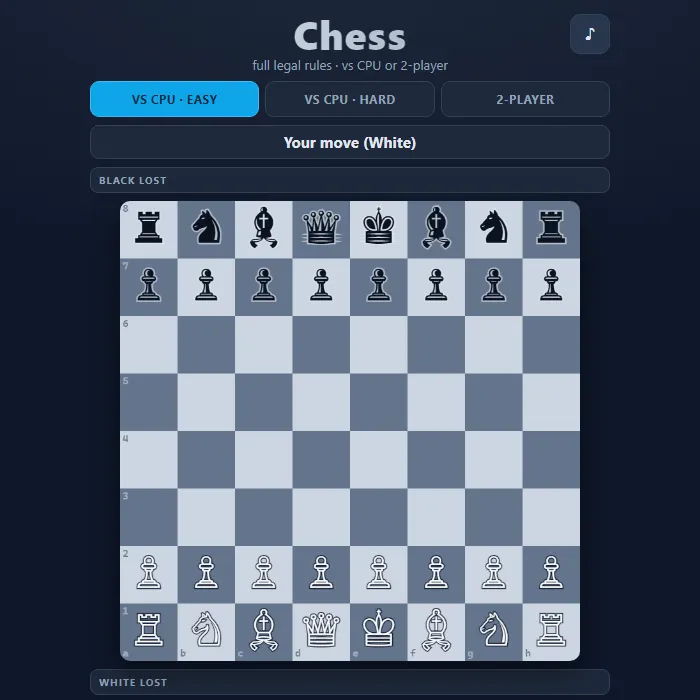
A complete, rules-accurate game of chess you can play against the computer or with a friend on the same device. Every legal move is supported and no illegal move is ever allowed.
About Chess
Chess is the classic strategy game of two armies facing off across a 64-square board, each commanding a king, queen, two rooks, two bishops, two knights, and eight pawns. This version implements the full rulebook: every piece moves exactly as it should, plus castling on both sides, en passant captures, and pawn promotion with a piece chooser. The engine constantly checks king safety, so you can never accidentally make a move that leaves your own king in check, and it correctly recognizes check, checkmate, stalemate, and drawn positions. Play solo against a computer opponent with two difficulty settings, or pass the device back and forth in 2-player mode. The board renders crisp Unicode chess figures with highlighted legal destinations, last-move markers, captured-material trays, and a running material advantage so you always know where you stand.
Where Chess comes from
Chess descends from chaturanga, 'four divisions of the army', played in India by the 6th-7th century AD; it reached Persia around 600 as chatrang, became shatranj under the Arabs and arrived in Europe through Spain and Italy by the 10th century. The powerful modern queen and bishop appeared in Valencia between 1475 and 1500, first recorded in the Catalan poem Scachs d'amor, and the world body FIDE was founded in Paris on 20 July 1924. IBM's Deep Blue beat world champion Garry Kasparov in 1997; this version is 360 PlayZone's own take on the classic. Source.
Inside Chess: what we checked
The numbers below come from Chess's own source code, and the screenshots are from our own test run of the game (20 October 2026).
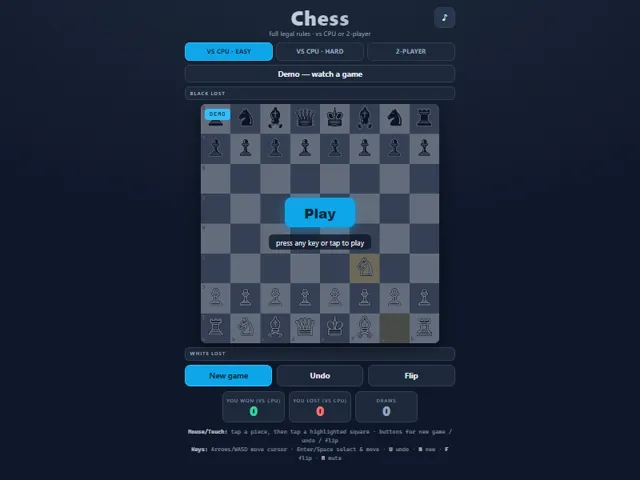
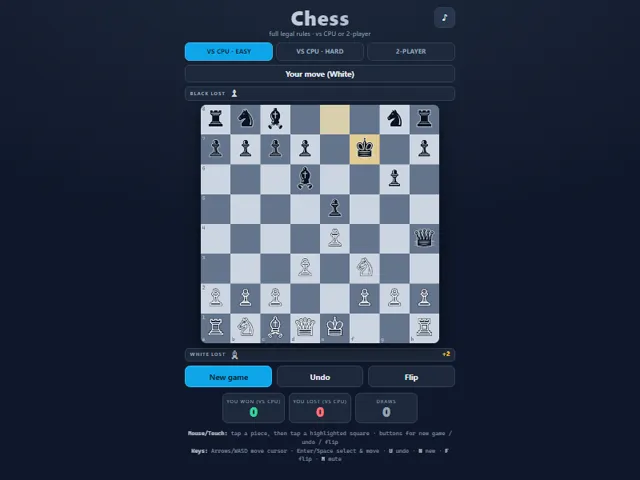
- There are three modes: VS CPU Easy, VS CPU Hard, and 2-Player on one device.
- Easy is deliberately beatable: when it can capture, it takes one of its best captures 85% of the time; otherwise it plays a random legal move.
- Hard looks three half-moves ahead (its move, your reply, its answer) and scores positions by material, with a pawn worth 100, a knight 320, a bishop 330, a rook 500 and a queen 900, plus where each piece stands.
- The full rules are in: castling, en passant, and promotion to the piece you choose. A game is drawn by stalemate, by the 50-move rule, or when nothing but the two kings and at most one knight or bishop is left.
- There is no threefold-repetition rule, so repeating moves never ends the game; one side has to break the loop.
- Your wins, losses and draws against the computer are kept in this browser. 2-player games are not counted.
Unblocked Games Unblocked Chromebook No Download Mobile Multiplayer
How to play Chess
Pick a mode at the top: VS CPU Easy, VS CPU Hard, or 2-Player. White always moves first. Tap (or click) one of your pieces and its legal destination squares light up with dots; capture squares get a red ring. Tap a highlighted square to move there. If a pawn reaches the far rank, a small menu lets you promote it to a queen, rook, bishop, or knight. The banner above the board tells you whose turn it is and warns you when a king is in check. The game ends automatically on checkmate, stalemate, the 50-move rule, or insufficient material. Use New game to restart, Undo to take back a move, and Flip to rotate the board.
Controls
Mouse/Touch: tap a piece to select it, then tap a highlighted square to move. Tap the piece again or tap elsewhere to deselect. On promotion, tap your chosen piece in the popup. Keyboard: Arrow keys or WASD move the on-board cursor; Enter or Space selects a piece and then confirms its destination; U undoes, N starts a new game, F flips the board, Esc deselects, and M toggles mute. During promotion you can press Q, R, B, or N to choose.
Tips & tricks
- Control the four center squares early with your pawns and knights — central pieces influence more of the board.
- Castle early (tap your king two squares toward a rook) to tuck your king into safety and connect your rooks.
- Before every move, glance at the check warning and scan what your opponent's last move now threatens.
- On Hard, the CPU grabs free material and plays tactically, so avoid leaving pieces undefended; trade down when you're ahead on the captured-material tray.
Frequently asked questions
Does Chess save my progress?
Partly. Chess keeps a running win/loss tally and your settings in this browser's local storage; there is no level progress to save. Nothing is uploaded and no account is involved — clearing your browser data is what resets it.
Is Chess unblocked at school or work?
Chess is a plain web page of about 46 KB — no plugin, no installer, no app store — so it loads on a Chromebook or a locked-down school or office laptop the same way any other page does, and the whole game arrives in one short download. Whether it opens comes down to your network's filter rather than the game itself.
Who made Chess?
Chess was built in-house by the 360 PlayZone team using open web technology (HTML5), which is why it runs instantly without any download.
Embed Chess
From our blog
Chess features in Classic Board Games Online — Checkers, Reversi, Gomoku and Chess, Free With No Login and Checkers Online: Rules, Why Forced Jumps Decide Everything and How to Beat the Hard CPU.