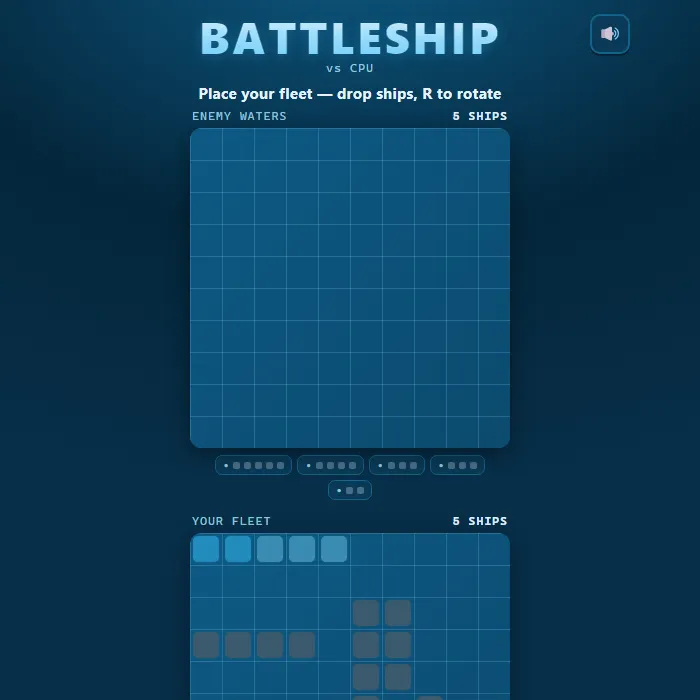
Classic naval duel on two 10x10 grids: hide your five ships, then outguess a hunt-and-target AI or a friend in pass-and-play on one device.
About Battleship
Battleship is a head-to-head game of deduction fought across two ocean grids. Each side secretly arranges a fleet of five vessels — a 5-cell Carrier, a 4-cell Battleship, two 3-cell ships (Cruiser and Submarine), and a 2-cell Destroyer — then calls out coordinates trying to find and sink the enemy's hidden hulls. A "miss" splashes harmlessly; a "hit" lands on steel; sink every cell of a ship and it goes down. The first commander to destroy the entire enemy fleet wins. This version pairs a clean nautical interface with a genuinely smart opponent: the CPU searches the sea with an efficient checkerboard pattern, and the instant it draws blood it locks on, probes adjacent cells, deduces the ship's orientation, and hammers along that axis until the vessel is sunk. A relaxed auto-demo plays a full battle on the start screen so you can see exactly how a round flows before you take command.
There is no online matchmaking — you play the computer, or a friend on the same device by passing it between turns.
Where Battleship comes from
Battleship began as a pencil-and-paper game around the First World War, and a 1907 diary entry by the Russian poet Ryurik Ivnev is among the earliest references to it. Starex published the first commercial version, Salvo, in the United States in 1931; Milton Bradley's 1967 edition with plastic pegboards and miniature ships made it a household name, and the Battleship trademark belongs to Hasbro today. This version is 360 PlayZone's own browser take on the grid-guessing concept and is not affiliated with Hasbro. Source.
Inside Battleship: what we checked
The numbers below come from Battleship's own source code, and the screenshots are from our own test run of the game (20 October 2026).
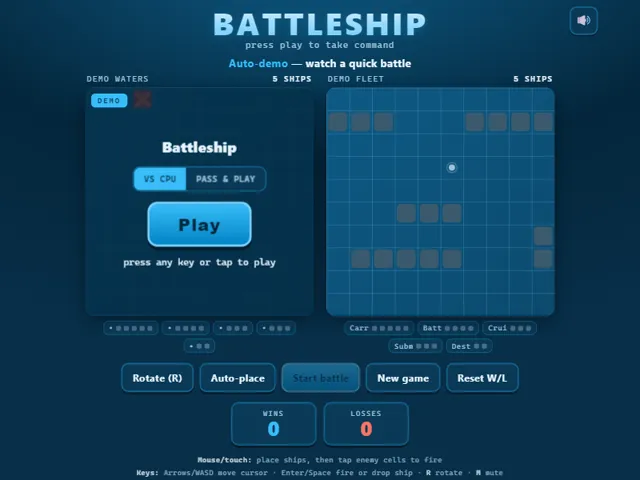
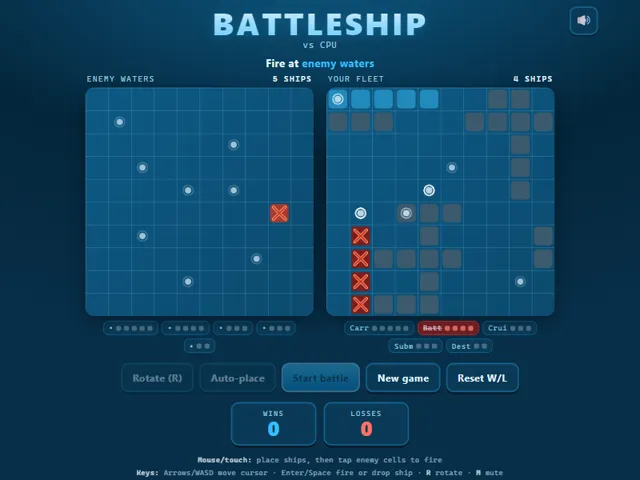
- Both fleets are the classic five ships on a 10 × 10 grid: Carrier (5), Battleship (4), Cruiser (3), Submarine (3) and Destroyer (2), 17 squares to hit in all.
- Ships may sit right next to each other. The only placement rules are no overlapping and nothing hanging off the grid, and Auto-place follows the same rules.
- Against the computer each side fires one shot per turn, hit or miss. In Pass & Play a hit lets the same player fire again.
- Until it scores a hit, the computer only fires at every other square, in a checkerboard pattern. That is enough to touch every ship, because the smallest one is two squares long.
- After a hit it tries the four squares around it, and once it has two hits in a line it keeps firing along that line until the ship sinks.
- Wins and losses against the computer are kept in this browser; Reset W/L clears them, and Pass & Play results are not counted.
Unblocked Chromebook No Download Mobile Multiplayer
How to play Battleship
Pick VS CPU or Pass and Play, then press Play. First you position your fleet on the bottom grid: move the highlighted ship and tap (or press Enter) to drop it, pressing R to rotate between horizontal and vertical. Ships cannot overlap or hang off the edge. Use Auto-place to scatter the whole fleet instantly, then press Start battle. Now fire at the top "enemy waters" grid by tapping a cell (or move the cursor with the arrow keys and press Enter). Watch the announcements for Hit, Miss, and Sunk results, and track the enemy's remaining ships in the fleet bar. Keep firing and survive the CPU's return salvos until one fleet is wiped out. In Pass and Play, each captain places privately behind a ready screen and the device is handed over between turns.
Controls
Mouse/touch: tap your grid to drop ships during setup, tap Rotate or Auto-place to arrange the fleet, then tap enemy cells to fire. Keyboard: Arrow keys or WASD move the cursor, Enter or Space drops a ship / fires a shot, R rotates a ship during placement, M toggles mute. On-screen buttons cover Rotate, Auto-place, Start battle, New game, and Reset W/L.
Tips & tricks
- Spread ships apart and avoid clustering them in one corner — a smart opponent that lands one hit will sweep outward and find neighbors fast.
- When you score a hit, immediately probe the four adjacent cells to learn the ship's direction, then fire straight down that line to finish it.
- Use Auto-place for a quick, well-distributed layout, then tweak only the ships you want to reposition.
- Hugging your ships against the grid edges removes one direction the enemy has to check, but predictable edge lines are easy to comb — mix it up.
Frequently asked questions
What are the ship sizes in Battleship?
Five ships on a 10x10 grid: Carrier (5 squares), Battleship (4), Cruiser (3), Submarine (3) and Destroyer (2) — 17 squares in total to sink.
Can two people play Battleship on one device?
Yes. Pick Pass & Play: each player places their fleet behind a private ready screen, then you hand the phone or laptop back and forth between shots. There is no online room — the second player has to be next to you.
What are the best first shots in Battleship?
Start near the centre and only fire on squares where row plus column is even. Every ship covers at least one such square, so you find the first hit in half the shots; after a hit, probe its four neighbours until the ship sinks.
Does Battleship save my progress?
Partly. Battleship keeps a running win/loss tally and your settings in this browser's local storage; there is no level progress to save. Nothing is uploaded and no account is involved — clearing your browser data is what resets it.
Embed Battleship
From our blog
Battleship features in How to Play Battleship: Rules, Ship Sizes and the Hunt-and-Target Method.