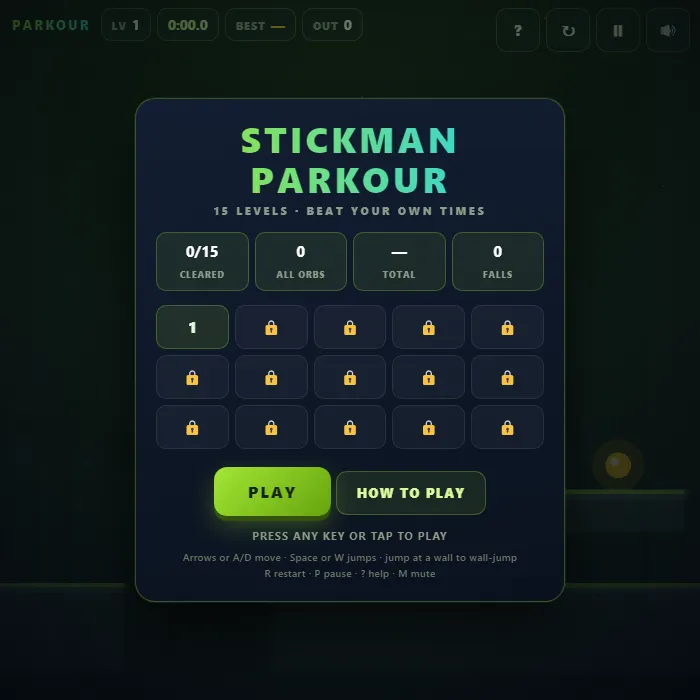
Fifteen short hand-built parkour levels for one stick figure. Run, jump, wall-jump and vault past spikes, moving platforms and crumbling ledges, with a checkpoint in every level and your best time saved for each one.
About Stickman Parkour
Stickman Parkour is fifteen short levels and one very responsive stick figure. Each level is a single hand-built run — no generated terrain, no filler — laid out so the line through it is obvious the second time and awkward the first. You run, you jump, you slide down walls and kick off them, and you step over low ledges without breaking stride. Nothing takes much more than a minute once you know it, and the clock in the corner is the only score there is.
Most of the work went into the half-second either side of a jump. You keep your jump for a moment after running off an edge, and a jump pressed slightly too early is remembered until your feet touch down, so the jump you meant almost always happens. Holding the key gives you full height and tapping it gives a short hop, which is the difference between clearing a spike pit and burying yourself in the spiked ceiling above it. The upshot is that a failed jump is nearly always a decision you got wrong rather than a frame you missed.
The hazards stay simple and readable: spikes you jump, platforms that carry you while you stand on them, and cracked ledges that hold for about half a second before they drop out from under you. Every level has one checkpoint around the halfway mark, and dying costs you time rather than progress — the clock keeps running, so a clean run beats a careful one. Three gold orbs sit off the fast line in each level, and each level remembers your best time, which is where the game actually starts. The first clear takes a few minutes. The next twenty runs are spent taking seconds off it.
Unblocked Chromebook No Download Mobile
How to play Stickman Parkour
Run right and reach the glowing gate at the end of each level. Hold the jump key for a full jump and tap it for a short one. In mid-air, press into a wall to slide down it slowly, then jump to push off — alternate walls to climb a shaft. Touch the blue flag to move your restart point; spikes and a fall out of the level send you back to it. The clock starts on the first frame, and your best time for each of the fifteen levels is saved.
Controls
Desktop: arrow keys or A/D to run, Space, W or Up to jump (hold it for height), Down to drop through a thin platform, R restart, P or Esc pause, ? help, M mute. Touch: left, right and jump buttons across the bottom of the screen.
Tips & tricks
- Press jump early rather than late. You keep the jump for a fraction of a second after you leave a ledge, and a press made just before you land is held until your feet touch down — so waiting until you are certain you are on the ground is what makes the long gaps feel impossible.
- Hold the direction of the wall you are touching. That turns a fall into a slow slide, which buys you the time to aim the next kick-off, and each push-off only buys about four tiles of height — a tall shaft is three or four alternating jumps, not one big one.
- Never stop on a cracked tile. It gives you a little over half a second from the moment you touch it, so land already facing where you are going and treat a row of them as one continuous run rather than a series of hops.
- The clock keeps running while you are dead, so deaths cost seconds, not lives. On a level you have already cleared, the route you know cold will nearly always beat the shortcut you are attempting for the first time.
Frequently asked questions
How do you wall-jump in Stickman Parkour?
In mid-air, press toward a wall to slide down it, then press jump to push off. Alternate between two walls to climb a shaft.
How many levels are in Stickman Parkour?
Fifteen short hand-built levels, each with a checkpoint flag. Your best time for every level is kept.
Does Stickman Parkour save my progress?
Yes — Stickman Parkour saves your progress and settings in this browser's local storage, so you can pick up where you left off on the same device. Nothing is uploaded and no account is involved — clearing your browser data is what resets it.
Is Stickman Parkour unblocked at school or work?
Stickman Parkour is a plain web page of about 69 KB — no plugin, no installer, no app store — so it loads on a Chromebook or a locked-down school or office laptop the same way any other page does, and the whole game arrives in one short download. Whether it opens comes down to your network's filter rather than the game itself.