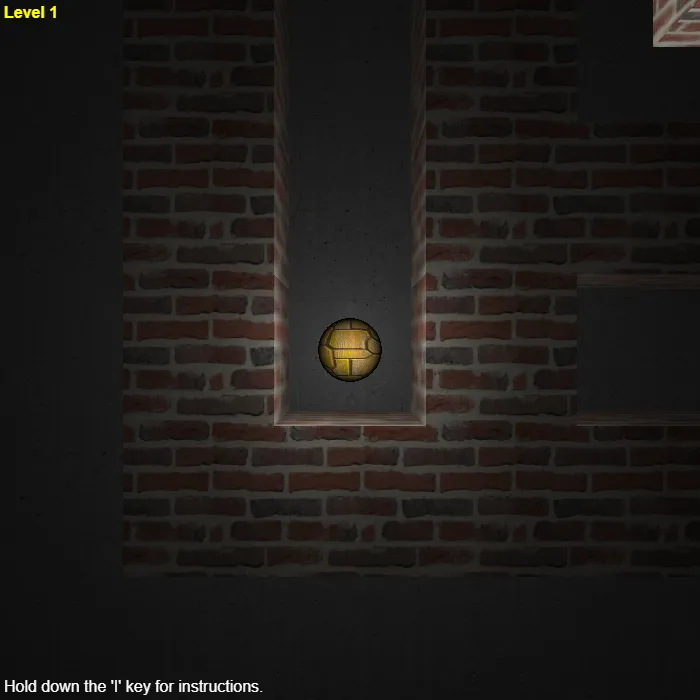
Roll a glowing ball through a 3D maze viewed from above and behind, feeling for the exit with nothing but momentum and inertia. Clear it and the maze regenerates one size bigger next time.
About Astray
Astray drops you into a maze rendered in real 3D rather than drawn flat: brick walls throw shadows under a single moving light, a concrete floor stretches off in every direction, and your ball glows like hot metal as the camera tracks it from a low angle just behind and above. Physics does the actual driving — the ball has real momentum and friction, so it drifts and overshoots corners rather than snapping cleanly onto a grid, and finding your line through a tight turn takes a bit of practice.
Clear a maze and the game doesn't stop for a menu: the light fades, a new maze two squares bigger in every direction snaps into place, and you're rolling again before you've caught your breath. There's no timer and no score, just an endless climb through bigger and more tangled layouts, which makes it as much a test of patience as of steering. Hold the I key at any point for a reminder of the controls. Open-source game by Rye Terrell, released into the public domain under the Unlicense.
Unblocked Chromebook No Download Mobile Classic
How to play Astray
Use the arrow keys (or the Vim-style H, J, K, L keys) to roll the ball toward the maze exit. The ball has weight and momentum, so ease off before a turn rather than expecting it to stop on a dime. Reach the marked opening at the far corner of the maze and the next, slightly bigger maze generates automatically. Hold I at any time to bring back the on-screen instructions.
Controls
Arrow keys (or h/j/k/l) roll the ball; there's no touch support at all, so it's best on desktop.
Tips & tricks
- Ease off the movement keys just before a turn — the ball carries momentum, so holding a direction into a corner just bounces you off the wall instead of turning.
- Scan the opening in the wall ahead before you commit to a direction; brick and shadow look similar at this camera angle, and a wrong turn costs real distance to correct.
- Tap direction keys in short bursts for tight, technical sections instead of holding them down — it gives you finer control over the drift.
- Don't panic when the maze regenerates bigger after each clear — the extra size is mostly more corridor, not more difficulty in any one turn, so the same slow-and-steady approach still works.
Frequently asked questions
Is Astray unblocked at school or work?
Astray is a plain web page of about 44303 KB — no plugin, no installer, no app store — so it loads on a Chromebook or a locked-down school or office laptop the same way any other page does, and the whole game arrives in one short download. Whether it opens comes down to your network's filter rather than the game itself.
Who made Astray?
Astray is a free browser edition of a well-known classic, rebuilt with modern web technology so it runs anywhere.