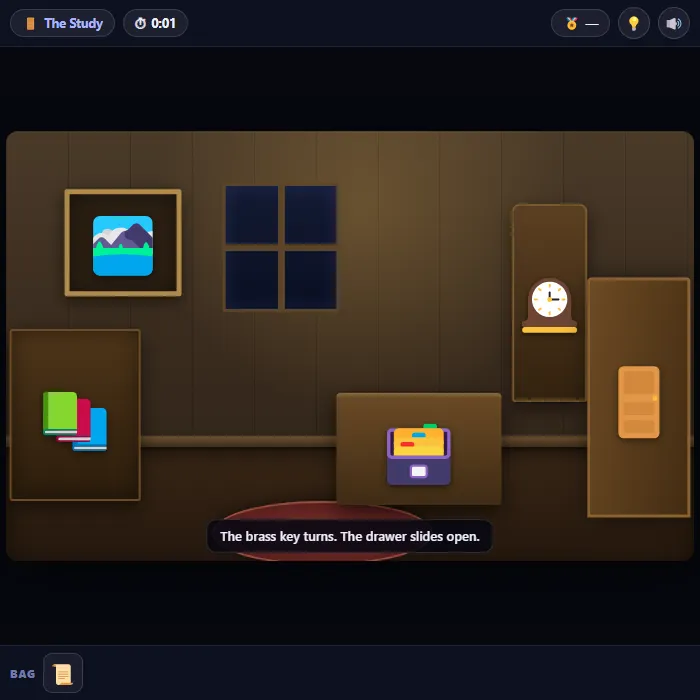
A free online escape room game you play in the browser: search a locked study and a dark cellar, pocket what you find, and work out which clue opens which lock. Two rooms, one exit, and a clock counting your best time.
About Escape Room
Escape Room is a point-and-click puzzle in the oldest and best tradition: you are shut in somewhere you shouldn't be, everything in the room is worth a second look, and nothing is labelled. There is no combat and no timer pressure — just the quiet satisfaction of noticing that the rug is sitting a little too deliberately in the middle of the floor.
What makes it click is that every lock has its answer somewhere else in the building. The wall safe wants four digits, and the four digits are engraved on a brass plate on the grandfather clock across the room — but you only learn that the safe and the clock are connected by reading a ledger on the bookshelf. That's the shape of the whole game: find a thing, find the thing that explains it, then put the two together. The cellar below runs the same trick in the dark, where you can't search at all until you've worked out where the power went.
A run takes most people somewhere between five and fifteen minutes the first time, and your best time is saved, which is where it gets moreish — once you know the chain, the second run becomes a speedrun against yourself. There's a hint button if a lock has you properly stuck, and it costs you nothing but a note on the results screen.
Inside Escape Room: what we checked
The numbers below come from Escape Room's own source code, and the screenshots are from our own test run of the game (20 October 2026).
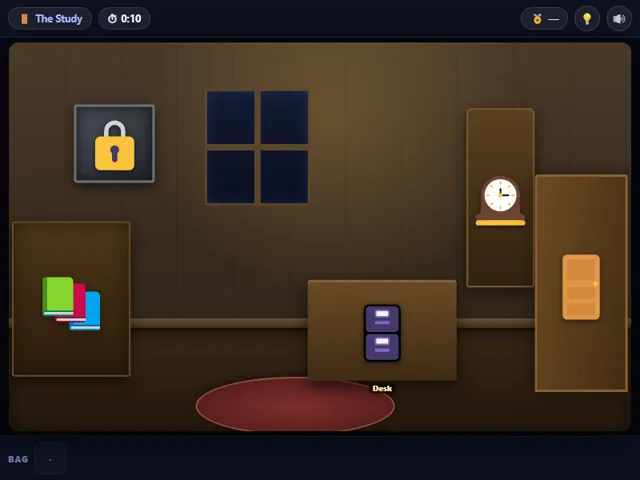
- There are two rooms, The Study and the cellar below it, and the game has six items to find and carry. The cellar starts dark, so the order you do things in matters.
- The timer counts up. There is no time limit and nothing can end the game early, so the only thing at stake is your best time, which is stored in this browser.
- To use an item, tap it in the Bag to pick it up, then tap the spot it belongs. Tapping the item again, or tapping empty space, puts it back.
- The Hint button (or H) gives a clue that depends on how far you have got: it has six steps in the Study and three in the cellar, and it makes the tappable spots flash for about a second. The win screen tells you how many hints you used.
- The puzzle is identical every time: the codes and the wire order are fixed rather than randomised. Your second run is a speed run, so the best time is worth chasing.
- Mid-run progress is not saved. Reloading the page starts the room again; only your best time and the mute setting are kept.
Unblocked Chromebook No Download Mobile
How to play Escape Room
Tap or click any object in the room to examine it. Anything you can carry goes into the bag along the bottom — tap a bag item to pick it up, then tap the thing you want to use it on. Notes and close-ups hold the codes you'll need for the locks, so read everything before you start guessing. Get through the study, restore the power in the cellar, and lever open the hatch to the street.
Controls
Desktop: click objects to examine them, click a bag item then click a target to use it, H for a hint, M to mute, Esc to back out of a close-up. Touch: tap objects to examine, tap a bag item then tap where it goes.
Tips & tricks
- Read before you fiddle. The bookshelf ledger tells you which object holds the safe code — without it you're just guessing four digits.
- Anything covering something else is worth moving. The rug and the painting are both hiding what you need, and neither of them looks special.
- In the cellar you genuinely cannot search in the dark, so the fuse box is the only thing worth touching until the lights come back on.
- The wire tag is written down for a reason — pull one out of order and the sequence resets, so read it before you start pulling.
Frequently asked questions
Does Escape Room save my progress?
Yes — Escape Room keeps your best score and settings in this browser's local storage, so they are still there when you come back on the same device. Nothing is uploaded and no account is involved — clearing your browser data is what resets it.
Is Escape Room unblocked at school or work?
Escape Room is a plain web page of about 35 KB — no plugin, no installer, no app store — so it loads on a Chromebook or a locked-down school or office laptop the same way any other page does, and the whole game arrives in one short download. Whether it opens comes down to your network's filter rather than the game itself.
Who made Escape Room?
Escape Room was built in-house by the 360 PlayZone team using open web technology (HTML5), which is why it runs instantly without any download.