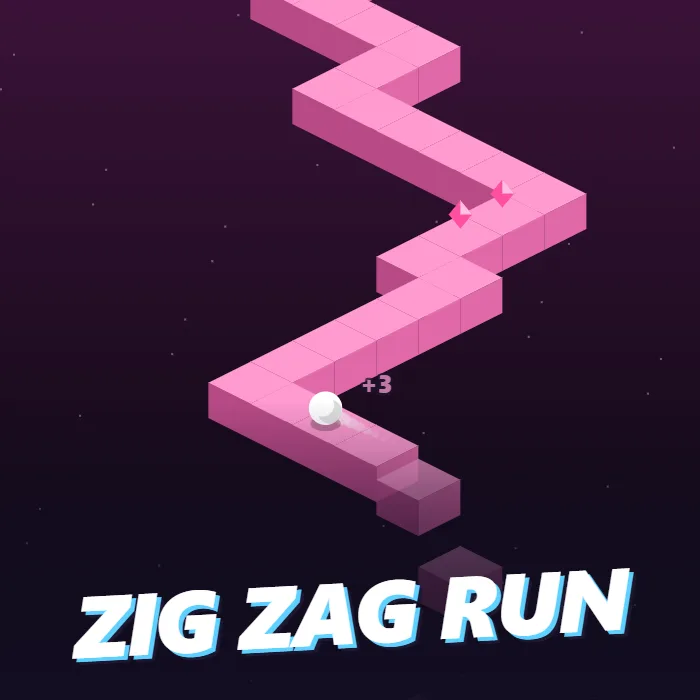
A one-tap reflex game. A white ball rolls along a narrow zigzag path hanging in space, and every tap switches it between heading left and heading right. Stay on the tiles, collect the pink gems and keep up as the pace climbs.
About Zig Zag Run
Zig Zag Run needs one finger and all of your attention. A path of square tiles zigzags away up the screen, one tile wide, with nothing on either side of it. A ball rolls along it and never stops. It can only travel in two directions, up and to the right or up and to the left, and each tap flips it from one to the other.
So the game is a string of corners. Tap as the ball reaches the turn and it rolls cleanly onto the next stretch. Tap early or late and it rolls off the edge and drops into the dark. The stretches between corners vary from a single tile to five or six, so you cannot settle into a rhythm; you have to read the path as it comes. Tiles fall away behind the ball as it passes, which is only for show but makes the road feel very thin.
The ball starts at a gentle roll and gains a little speed with every tile, until at around three hundred points it is moving more than twice as fast as it began and the long stretches have become rare. Pink gems sit on some of the tiles. Rolling over one is worth three extra points, and they are always on the path, so they cost nothing but nerve. Every fifty points the colours of the world change, which is the game's way of telling you that you are doing well.
A run ends at the first fall and the next begins at a tap. The best score and the total gems collected are saved in the browser.
Unblocked Chromebook No Download Mobile Quick Games
How to play Zig Zag Run
Tap, click or press Space to start the ball rolling, then tap again every time the path turns. Each tap switches the ball between rolling up-left and up-right. Keep it on the tiles; if it rolls past an edge it falls and the run ends. Each new tile is worth a point and each pink gem three more.
Controls
Desktop: Space, an arrow key or a mouse click changes direction, P to pause, M to mute. Touch: tap anywhere on the screen.
Tips & tricks
- Tap when the ball is over the middle of the corner tile, not when it reaches the edge.
- Look one corner ahead of the ball. By the time it reaches a turn you should already know which way the next one goes.
- Single-tile steps need two quick taps. Treat them as one double-tap.
- Do not chase the score display. The colour change every fifty points tells you how you are doing without looking up.
Frequently asked questions
How do I control the ball in Zig Zag Run?
With a single input. Every tap, click or press of Space switches the ball between its two directions. There is no other control.
Does the game get faster?
Yes. The ball speeds up a little with every tile and reaches its top speed, more than double the starting pace, at a score of a few hundred.
What are the pink gems for?
Each gem adds three points to your score. They are counted separately as well, and the total number you have collected is saved.
Does Zig Zag Run save my progress?
Yes — Zig Zag Run keeps your best score and settings in this browser's local storage, so they are still there when you come back on the same device. Nothing is uploaded and no account is involved — clearing your browser data is what resets it.