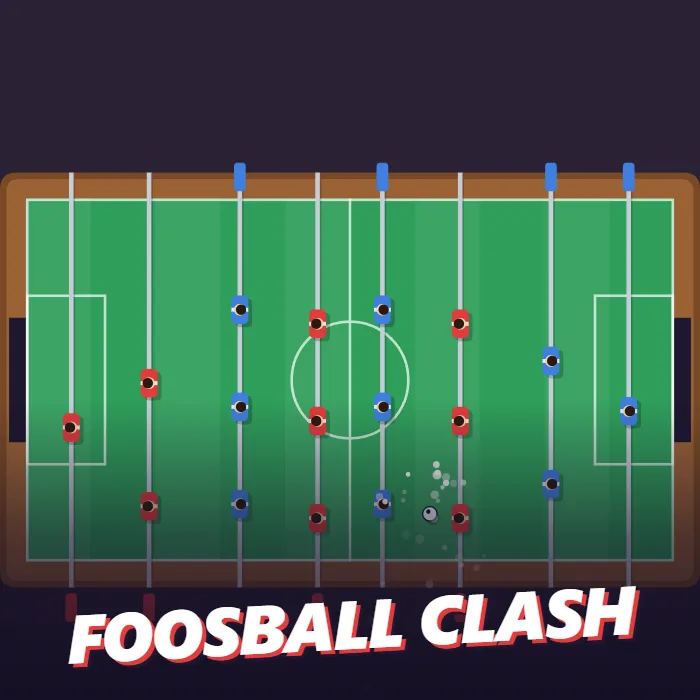
Table football for one or two players. Slide your four rods together to block and line up, then kick as the ball arrives to fire it at goal. First to five wins. Play the computer over seven levels or a friend on the same keyboard.
About Foosball Clash
Foosball Clash is the table football found in cafes, hostels and games rooms, laid flat on the screen. There are eight rods across the table, four for each side, set out the usual way: a goalkeeper, two defenders, three midfielders and three forwards, with the two teams' rods alternating down the pitch. Red attacks one goal and blue the other.
To keep it playable with one hand, all four of your rods slide together. Move the mouse, drag a finger or use the arrow keys and every red player shifts up or down the table at once. That one movement does two jobs. It puts a player in the ball's path to block it, and it decides which part of the player the ball meets, which sets the angle it leaves at.
The second control is the kick. A ball that simply runs into one of your players bounces off with a small push forward. Press kick just as the ball reaches a player and it is struck hard instead, at more than twice the speed. Where it hits the foot matters: the middle sends it straight, the edges send it away at an angle. A kick has a short recovery, so mistiming one leaves that moment uncovered.
Goals are scored through the dark opening at each end of the table. The ball bounces off the side walls and off the end walls on either side of the goal, so shots can be played off the cushion to get round a blocker. If the ball comes to rest out of everyone's reach, it is knocked back into play automatically. After a goal it is served from the centre toward the side that conceded.
A match is first to five. Against the computer there are seven levels. Each win in a row moves you up one, and each level slides its rods faster, so the gaps it leaves get smaller. A defeat returns you to level one. In two-player mode, red uses W, S and Space and blue uses the Up and Down arrows and Enter on one keyboard. Wins and your best streak against the computer are saved.
Unblocked Chromebook No Download Mobile Quick Games
How to play Foosball Clash
Slide your rods so one of your players is in line with the ball. Kick as the ball arrives to hit it hard toward the other goal. A ball that touches a player without a kick only bounces off gently. Score through the opening at the far end of the table. The first side to five goals wins the match.
Controls
Desktop: move the mouse or use the Up and Down arrows to slide the rods, click or press Space to kick; P to pause, M to mute. Two players: red uses W, S and Space, blue uses Up, Down and Enter. Touch: drag to slide the rods and tap to kick.
Tips & tricks
- Kick a fraction before the ball touches the player. A kick lasts about a sixth of a second and must already be under way on contact.
- Meet the ball with the edge of a player to angle the shot past a defender standing directly in line.
- All four rods move together, so lining up a forward also moves your goalkeeper. Check both before you commit.
- Use the side walls. A shot that bounces off the cushion arrives from an angle the computer covers late.
Frequently asked questions
How do I shoot hard in Foosball Clash?
Press kick, which is a click, a tap or the Space bar, just as the ball reaches one of your players. Without a kick the ball only bounces off with a light push.
Can two people play?
Yes, on one keyboard. Choose 2 Players on the menu. Red slides with W and S and kicks with Space. Blue slides with the Up and Down arrows and kicks with Enter.
Why do all my rods move together?
It keeps the game playable with one hand or one finger. Each rod has its own range of travel, so the players do not all cover the same lines.
Does Foosball Clash save my progress?
Partly. Foosball Clash keeps a running win/loss tally and your settings in this browser's local storage; there is no level progress to save. Nothing is uploaded and no account is involved — clearing your browser data is what resets it.