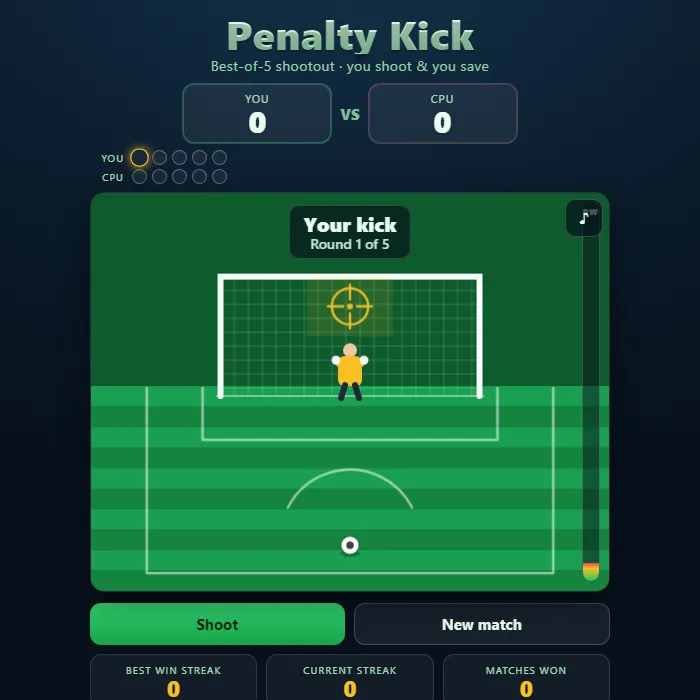
Take on the CPU in a tense best-of-5 penalty shootout. Aim your spot in the goal, charge the power meter and curl one past the diving keeper, then flip sides and become the goalkeeper, reading the CPU striker and throwing yourself the right way to make the save. Level after five kicks? It goes to sudden death. Build the longest win streak you can.
About Penalty Kick
Penalty Kick is an original, self-contained soccer shootout built entirely with HTML Canvas and the Web Audio API, with no external assets. It captures the two-sided drama of a real penalty competition: half the time you are the striker picking a corner and trusting your nerve, and half the time you are the lone keeper guessing which way to dive. A running scoreboard and a shot-by-shot board of made and missed kicks track the duel, and a tied score after five rounds spills into sudden death where a single mistake ends it. Your longest run of match wins is saved locally so every shootout carries the weight of your streak.
Inside Penalty Kick: what we checked
The numbers below come from Penalty Kick's own source code, and the screenshots are from our own test run of the game (20 October 2026).
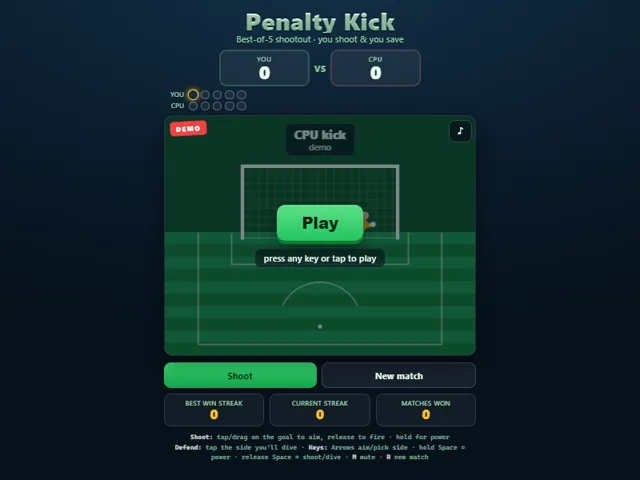
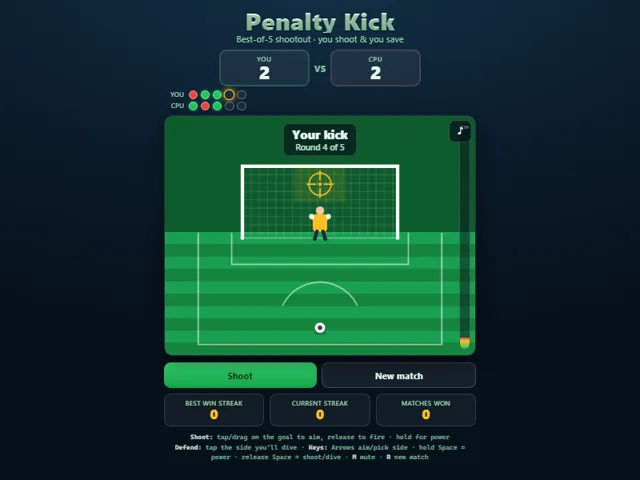
- The shootout is best of 5 each, with you shooting and defending alternately. It stops early once a side cannot be caught, and a tie after five kicks goes to sudden death.
- The goal has six target zones, three across and two high or low. Power matters: below 0.18 of the meter you will probably miss the goal (85% of the time), below 0.32 it is a 30% miss, and a full blast over 0.97 sails over the bar 22% of the time.
- The keeper does not read you. He picks left 35%, right 35% or centre 30% of the time, and a right guess is still not a save: the chance is up to 86% for a feather-light shot, falling to 41% at full power, and lower again if he picks the wrong height.
- When you defend, the CPU aims left 36%, right 36% or centre 28%, and goes high 60% of the time. It hits with 55% to 100% power and misses the goal only 5% of the time.
- Diving the right way is not a guaranteed save either. Against the CPU's softest shots you stop about 57% of the time, and against its hardest about 38%.
- Your matches won, current streak and best streak are kept in this browser.
Unblocked Chromebook No Download Mobile For Kids Quick Games
How to play Penalty Kick
The match alternates: you take a penalty, then you defend one, repeating for five rounds each (more if it ends level). When SHOOTING, choose one of six target zones inside the goal (three across, two high/low), then set your power. Too little power and the keeper smothers it or you scuff it wide; too much and you blast it over the bar; somewhere strong-but-controlled beats the dive most reliably. When DEFENDING, pick which third of the goal to dive into before the CPU strikes, then commit. Guess the striker's side to make the save. Most goals after five kicks wins; if it is tied, sudden death decides it the moment one side scores and the other misses.
Controls
Touch / Mouse: when shooting, tap or drag on the goal to pick your target zone, hold to charge the power meter, and release to fire. When defending, tap the left, middle, or right third of the goal to choose your dive. Keyboard: Arrow keys aim (Left/Right pick the column, Up/Down pick high or low) or choose your dive side; hold Space to build power and release Space to shoot or commit your dive (Enter also fires). Press M anytime to mute, and R to start a new match. A visible mute button sits in the top corner.
Tips & tricks
- Power is a trade-off: medium-high beats the keeper most often, while very low shots get saved and maxed-out blasts sail over the bar.
- Vary your corners. Picking the same zone every kick lets the pattern bite you when luck swings the other way.
- High shots into a side zone are the hardest for the keeper to reach even when they guess your column correctly.
- When defending, the CPU favors the corners and often shoots high, so committing to a side rather than staying central pays off.
Frequently asked questions
Does Penalty Kick save my progress?
Partly. Penalty Kick keeps a running win/loss tally and your settings in this browser's local storage; there is no level progress to save. Nothing is uploaded and no account is involved — clearing your browser data is what resets it.
Is Penalty Kick unblocked at school or work?
Penalty Kick is a plain web page of about 42 KB — no plugin, no installer, no app store — so it loads on a Chromebook or a locked-down school or office laptop the same way any other page does, and the whole game arrives in one short download. Whether it opens comes down to your network's filter rather than the game itself.
Who made Penalty Kick?
Penalty Kick was built in-house by the 360 PlayZone team using open web technology (HTML5), which is why it runs instantly without any download.
Embed Penalty Kick
From our blog
Penalty Kick features in Best Free Sports Games — Pool, Golf, Penalty Kicks and More.