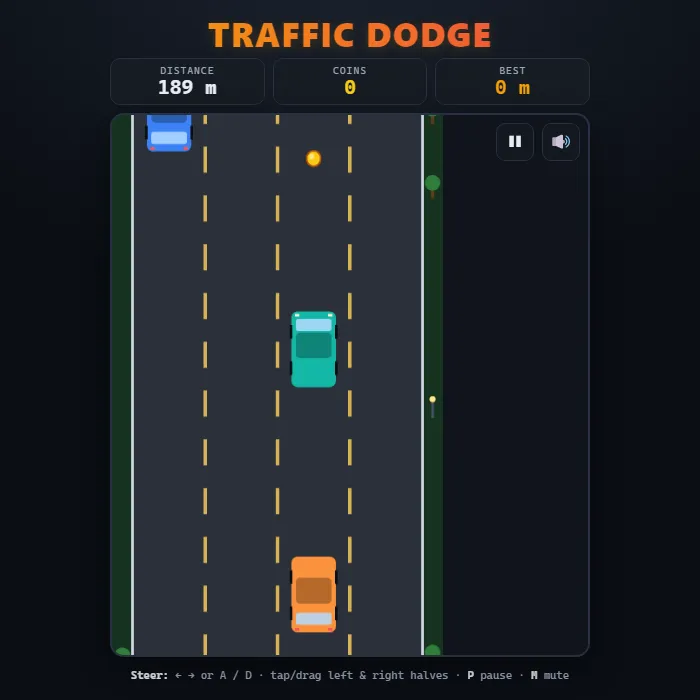
Top-down endless highway dodger. Weave between four lanes, dodge slower and oncoming traffic, scoop up coins, and survive as the speed keeps climbing. Score is the distance you drive before you crash.
About Traffic Dodge
Traffic Dodge is a fast, arcade-style endless driver. You pilot a single car up a scrolling multi-lane highway while other vehicles barrel toward you - some crawling along in your direction, others rushing down the wrong way. There is no finish line: the road never ends, the traffic never stops, and the only thing that matters is how far you can push before a fender meets a bumper. The longer you last, the faster everything moves, so every run becomes a tighter, twitchier test of reflexes than the last. Glittering coins drift down between the cars to tempt you out of the safe lane, and the road, cars, lane markings, and roadside scenery are all drawn live on an HTML5 canvas - no images, no downloads, just pure code. Your best distance is saved locally so there is always a number to beat.
Unblocked Chromebook No Download Mobile
How to play Traffic Dodge
Your car sits near the bottom of the screen and the highway scrolls toward you. Steer left and right between the four lanes to slip past oncoming and slower traffic - touching any other car ends the run instantly. Grab the golden coins as they slide down to pad your stats, but never chase one into a wall of metal. The game speeds up the farther you travel, so stay calm and read the lanes ahead. When you crash, your distance and coins are tallied, your best is updated, and you can jump straight back in for another attempt.
Controls
Keyboard: Left/Right arrow keys or A / D to change lanes, P to pause/resume, M to mute. Mouse/Touch: tap the left or right half of the road to step one lane that way, or press and drag your car directly to the lane you want. Tap, click, or press any key on the start and crash screens to begin a new run.
Tips & tricks
- Hug the center lanes when traffic is light - it leaves you an escape route on both sides instead of trapping you against a shoulder.
- Look at the lanes near the top of the screen, not at your own car. Reacting early to a gap is far safer than swerving at the last second.
- Oncoming cars (with bright headlights) close the distance much faster than same-direction cars - give them extra room.
- Only go for a coin if there is a clear, safe lane to reach it; a single coin is never worth a crash.
Frequently asked questions
How do you score in Traffic Dodge?
Your score is the distance you drive before you crash. Coins drift down between the cars, but touching any other car ends the run instantly.
Does Traffic Dodge have a finish line?
No. The highway never ends and the traffic keeps getting faster the farther you drive, so every run is about beating your best distance.
Does Traffic Dodge save my progress?
Yes — Traffic Dodge keeps your best score and settings in this browser's local storage, so they are still there when you come back on the same device. Nothing is uploaded and no account is involved — clearing your browser data is what resets it.
Is Traffic Dodge unblocked at school or work?
Traffic Dodge is a plain web page of about 26 KB — no plugin, no installer, no app store — so it loads on a Chromebook or a locked-down school or office laptop the same way any other page does, and the whole game arrives in one short download. Whether it opens comes down to your network's filter rather than the game itself.