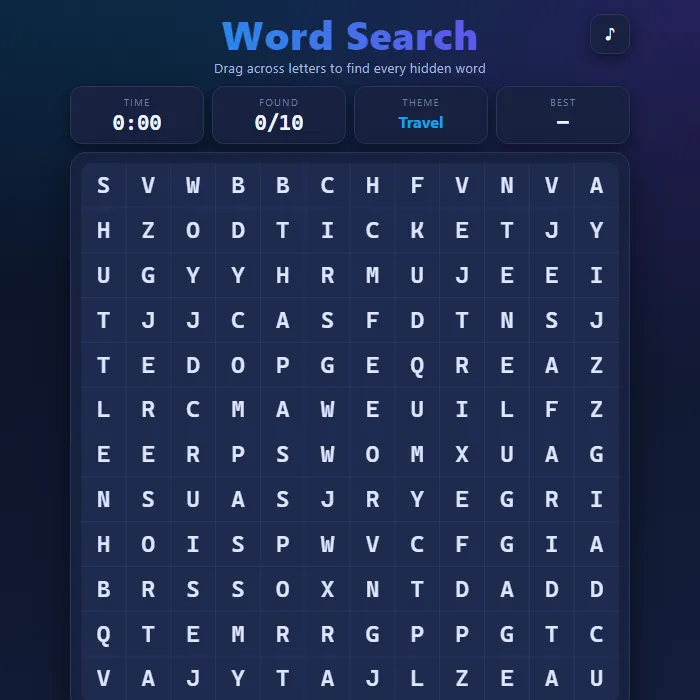
A modern, responsive word-search puzzle. Hunt down 8-12 themed words hidden in a letter grid by dragging a straight line across them - horizontal, vertical, diagonal, forwards or backwards. Pick your difficulty, beat the clock, and chase your best time.
About Word Search
Word Search drops you into a freshly generated grid of letters with a themed word list to track down. Every puzzle is built on the fly: a theme is chosen (Space, Ocean, Forest, Music, and more), its words are woven into the grid in random straight lines, and the gaps are filled with random letters so each game is different. Words can run in eight directions depending on difficulty, and a built-in line solver verifies your drags so a found word always ticks off the list cleanly. A live timer and found-counter keep the pressure on, and your fastest clear for each difficulty is saved locally so you always have a target to beat. The whole game is drawn on an HTML5 canvas with crisp letters and smooth capsule highlights, and it scales to fit any screen from a phone to a desktop.
Where Word Search comes from
The word search as most people know it was designed by Norman E. Gibat and published on 1 March 1968 in the Selenby Digest, a small advertising paper in Norman, Oklahoma; local teachers asked for reprints for their classrooms and a newspaper syndicate picked it up from there. The Spanish puzzle-maker Pedro Ocon de Oro was publishing a similar 'sopa de letras' before that date, so the credit is not undisputed. This version is 360 PlayZone's own take on the classic. Source.
Inside Word Search: what we checked
The numbers below come from Word Search's own source code, and the screenshots are from our own test run of the game (20 October 2026).
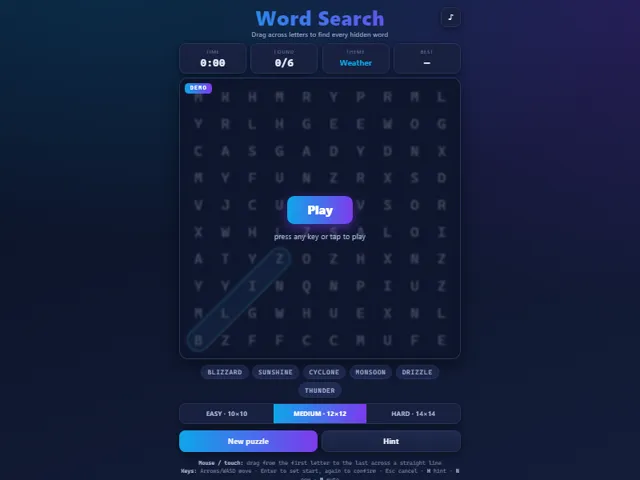
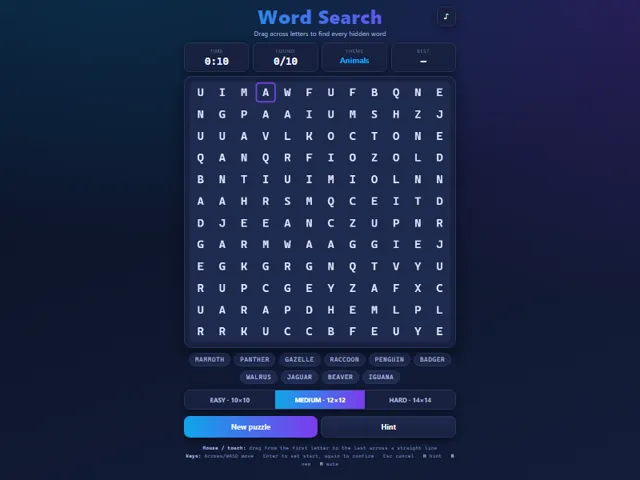
- There are three sizes. Easy is a 10 × 10 grid with 8 words that only run across or down. Medium is 12 × 12 with 10 words and adds diagonals. Hard is 14 × 14 with 12 words in all eight directions, backwards included.
- Each puzzle is one of 10 themes (Space, Ocean, Kitchen, Forest, Weather, Music, Travel, Animals, Garden, Science), each with a list of 12 words, and the game picks a random selection of them to hide, so two puzzles on the same theme can have different words.
- You can drag a word in either direction: selecting it backwards counts as a match as well.
- The Hint button (or H) does not just highlight a letter: it finds the first unfound word on the list and marks the whole word as found. It costs nothing, and the timer keeps running.
- The clock starts as soon as the puzzle appears, not at your first drag.
- Your best time is saved separately for Easy, Medium and Hard in this browser. You can play with the keyboard alone: arrows or WASD move the cursor, Enter sets the start of a word and Enter again confirms it.
Unblocked Chromebook No Download Mobile For Kids Brain Games
How to play Word Search
Find every word from the list inside the letter grid. Each word sits in a perfectly straight line. On Easy words go only across and down; Medium adds diagonals; Hard also hides words backwards. Press and drag from a word's first letter to its last letter in one straight swipe - if you traced a real word it locks in with a colored highlight and gets crossed off the list. Clear the whole list to win, and try to do it faster than your saved best time. Stuck? Tap Hint to reveal one remaining word. Use New puzzle (or switch difficulty) to generate a fresh board anytime.
Controls
Mouse or touch: press on the first letter and drag in a straight line to the last letter, then release to submit. Keyboard: Arrow keys or WASD move the cursor; Enter sets the start cell, move to the end cell and press Enter again to confirm; Esc cancels the current trace. Shortcuts: H for a hint, N for a new puzzle, M to mute. The difficulty buttons set grid size and which directions words can hide.
Tips & tricks
- Scan one direction at a time - sweep each row left to right, then each column, before hunting diagonals.
- Look for a word's rare letters like Q, X, Z or J first; they stand out and pin down where the word must be.
- On Hard, remember words can read backwards, so check both ends of any promising streak of letters.
- Lock in the long words early - they leave fewer hiding spots and make the short ones easier to spot.
Frequently asked questions
Does Word Search save my progress?
Yes — Word Search keeps your best score and settings in this browser's local storage, so they are still there when you come back on the same device. Nothing is uploaded and no account is involved — clearing your browser data is what resets it.
Is Word Search unblocked at school or work?
Word Search is a plain web page of about 34 KB — no plugin, no installer, no app store — so it loads on a Chromebook or a locked-down school or office laptop the same way any other page does, and the whole game arrives in one short download. Whether it opens comes down to your network's filter rather than the game itself.
Who made Word Search?
Word Search was built in-house by the 360 PlayZone team using open web technology (HTML5), which is why it runs instantly without any download.
Embed Word Search
From our blog
Word Search features in What Are Unblocked Games? A Plain-English Explanation and Games Like Wordle — Free Word Puzzles You Can Play Right Now.