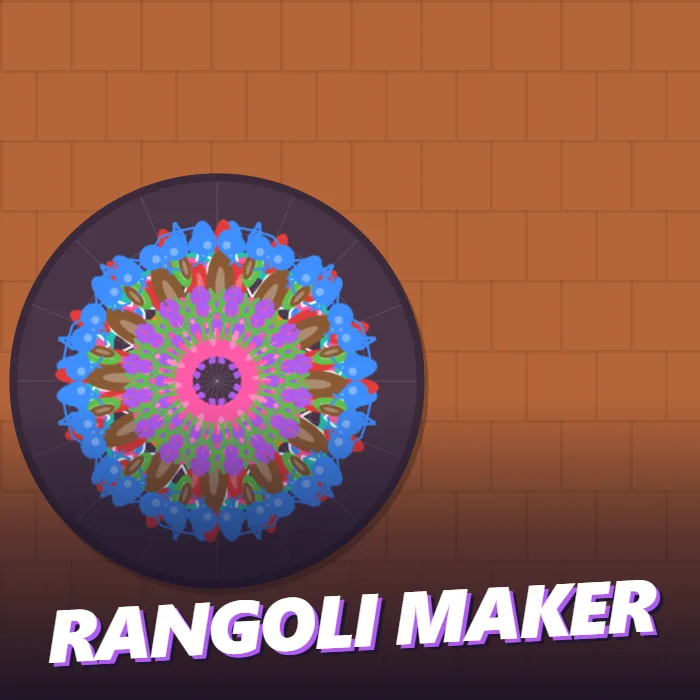
A symmetry drawing game. Draw a single stroke and it repeats around the circle in 6, 8, 12 or 16 parts to form a rangoli. Choose from ten powder colours, add dots and petals, then light the diyas and save the picture.
About Rangoli Maker
A rangoli is the pattern drawn on the ground at the entrance of a home for Diwali, Pongal, Onam and many other festivals: coloured powder, rice flour or flower petals laid out in a design that is the same all the way round. Rangoli Maker gives you the floor, the colours and a brush that does the symmetry for you.
A dark circle sits on a terracotta courtyard with faint guide lines radiating from its centre. Drag inside it and the line you draw appears in every segment at once, so one curve becomes a ring of eight. The same goes for the two stamp tools: tap once with Dots and a ring of beads appears, tap with Petals and you get a ring of petals, each one turned to point out from the middle. That is all there is to learn, and it is enough to make something that looks intricate within a few seconds.
The panel gives you the choices that matter. There are ten colours, from white and marigold yellow to pink, purple, blue and green. The brush and stamps come in three sizes. The pattern can repeat six, eight, twelve or sixteen times, and you can change that between strokes to layer a sixteen-point border over an eight-point centre. Mirror reflects each segment so that curves come out as matched pairs, the way petals and leaves do. Undo removes the last stroke and Clear starts again.
When it is finished, press Light it. The courtyard darkens, twelve diyas flicker into life around the design, and you can save the result as a picture. There are no points and no timer.
Unblocked Chromebook No Download Mobile Quick Games
How to play Rangoli Maker
Pick a colour and drag inside the circle to draw; the stroke is repeated around the centre. Choose Dots or Petals and tap to place a ring of them. Use the size buttons for thinner or thicker marks and the 6x, 8x, 12x and 16x buttons to change how many times the pattern repeats. Undo removes the last mark. Press Light it to finish, and Save photo to download your rangoli.
Controls
Mouse or touch only: drag to draw, tap to stamp, and use the buttons in the panel. P pauses and M mutes on a keyboard.
Tips & tricks
- Start at the centre with a thick stroke in a bright colour and work outward in rings.
- Short curved strokes make petals and leaves. With Mirror on, each one becomes a matched pair.
- Change the repeat count between layers: eight in the middle, sixteen for the outer border.
- White dots between coloured shapes are the classic finishing touch and make the colours stand out.
Frequently asked questions
How does the symmetry work in Rangoli Maker?
Whatever you draw in one segment of the circle is copied to all the others. You can set the number of segments to 6, 8, 12 or 16, and Mirror also reflects the drawing within each segment.
Can I save my rangoli?
Yes. Press Light it and then Save photo. The design, with its diyas, is downloaded to your device as an image.
Is it suitable for young children?
Yes. There is no score, no timer and no way to lose. Any scribble turns into a symmetrical pattern, so it works well for small children as well as careful designers.
Does Rangoli Maker save my progress?
Partly. Rangoli Maker keeps a running win/loss tally and your settings in this browser's local storage; there is no level progress to save. Nothing is uploaded and no account is involved — clearing your browser data is what resets it.