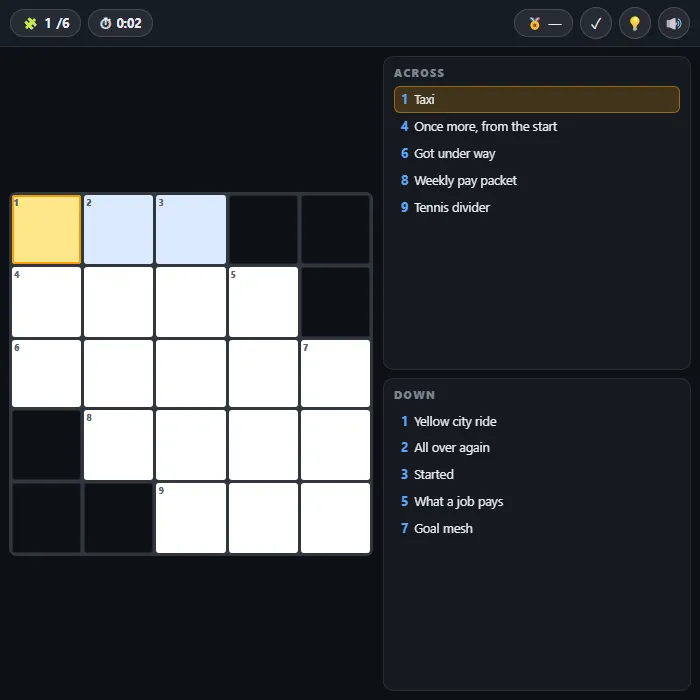
A free 5x5 mini crossword you can finish on a coffee break. Six hand-built grids with everyday clues, a check button, letter reveals and a best-time clock — no account, no daily limit.
About Mini Crossword
A mini crossword is the right size for a crossword when you don't have twenty minutes. Five squares by five, a handful of short answers, clues that lean on everyday knowledge rather than obscure trivia — the whole thing is meant to take a couple of minutes and leave you feeling slightly cleverer than you did before.
These six grids are hand-built rather than generated, which matters more than it sounds. Every down answer is a real word, every clue points at exactly one solution, and each answer gets two different clues depending on whether you meet it going across or going down, so the two lists never read as copies of each other. Tapping a square selects the word you're in and highlights the matching clue; tapping the same square again flips you between across and down, which is the one control every crossword solver reaches for without thinking.
If you stall, the check button flashes green on the letters you've got right and red on the ones you haven't, and the reveal button fills in the square you're sitting on. Solving with no reveals sets a best time; using them doesn't, which is a mild but effective incentive to think a bit longer.
Unblocked Chromebook No Download Mobile For Kids Brain Games
How to play Mini Crossword
Tap any white square to select it — the word you're in lights up and its clue is highlighted in the list. Type letters and the cursor moves along the word automatically. Tap the same square again, or press Tab, to switch between the across and down answer running through it. Fill every square correctly to solve the grid, then move on to the next of the six puzzles.
Controls
Desktop: click a square to select, type letters, Tab or a second click switches across/down, arrow keys move around, Backspace deletes, Enter checks your answers, H reveals the current letter, M mutes. Touch: tap a square and use the on-screen keyboard.
Tips & tricks
- Fill in the short answers first. The three-letter words along the edges are usually the easiest, and every letter they give you narrows down the long word crossing them.
- If a clue reads oddly, check whether you're looking at the across or down list — the same answer gets a different clue in each direction, and one of them will click faster.
- Use check rather than reveal when you're stuck. Seeing which of your letters are already wrong is usually enough to unlock the square without spending your clean-solve.
- Every down answer is a real word, so if a vertical run is turning into gibberish the mistake is in a word you've already 'finished' — go back and re-read its clue.
Frequently asked questions
Is Mini Crossword unblocked at school or work?
Mini Crossword is a plain web page of about 20 KB — no plugin, no installer, no app store — so it loads on a Chromebook or a locked-down school or office laptop the same way any other page does, and the whole game arrives in one short download. Whether it opens comes down to your network's filter rather than the game itself.
Who made Mini Crossword?
Mini Crossword was built in-house by the 360 PlayZone team using open web technology (HTML5), which is why it runs instantly without any download.