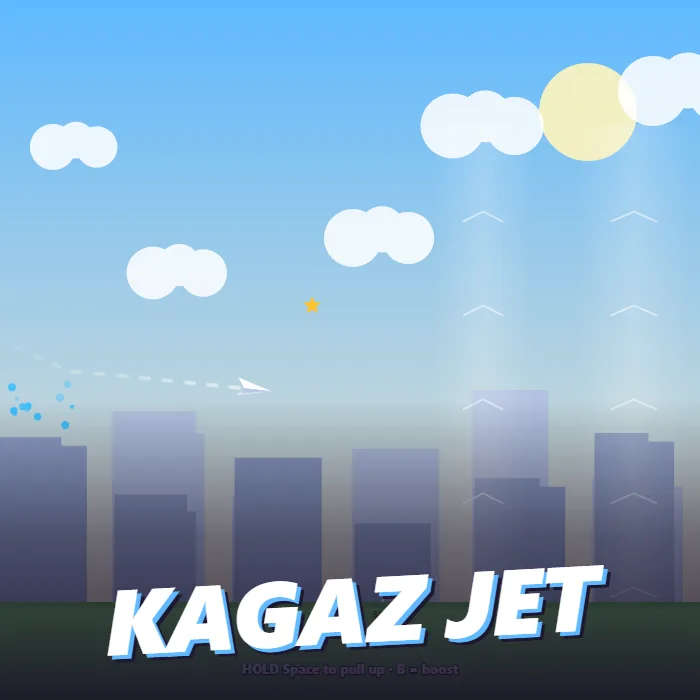
Throw a paper plane off a rooftop and glide over the city. Hold to pull up, let go to dive for speed, ride the thermals, thread the boost rings, dodge the kites, and spend your coins on a plane that flies farther every time.
About Kagaz Jet
Kagaz Jet starts where every paper plane does: a kid on a roof, a folded sheet and a good arm. A power meter sweeps across the bottom of the screen and one tap throws the plane. From there it is a real little glider. Holding pulls the nose up and trades speed for height; letting go lets it dive and build speed again. Fly too slowly and it stalls into the grass, dive too long and you run out of sky, so the whole flight is a rhythm of climb and swoop.
The air is full of help and trouble. Pale thermal columns lift you while you are inside them, blue rings give a burst of speed, stars are worth coins, and the neighbourhood kites tangle the plane and cost you most of your speed. A rubber-band boost gives you an emergency shove when a flight is dying, once at first and more often after an upgrade.
Every landing pays coins for distance and stars, and four upgrades wait on the results card: a stronger throw, sharper folds for less drag, wider wings for more lift, and extra boosts. The first flights barely clear the street; a fully upgraded plane crosses the whole city. Progress is saved, which makes this an easy game to come back to for one more throw.
Unblocked Chromebook No Download Mobile Quick Games
How to play Kagaz Jet
Tap or press Space when the power meter is in the green to throw the plane. In the air, hold to pull the nose up and gain height, and release to dive and gain speed. Fly through thermal columns for lift and blue rings for speed, collect stars, and avoid kites. Press B or the BOOST button for a burst of speed when you need it. When the plane lands, spend your coins on upgrades and throw again.
Controls
Desktop: Space or click to throw, hold Space, Up or W to pull up, B or Shift to boost, P to pause, M to mute. Touch: tap to throw, hold anywhere to pull up, tap the BOOST button to boost.
Tips & tricks
- Throw in the green part of the meter. A full-power throw is worth more than any single upgrade early on.
- Pull up in short holds. A long hold bleeds all your speed and the plane stalls.
- Dive into a thermal and pull up inside it: you leave with both height and speed.
- Keep the boost for the end of the flight, when the plane is low and slow, not for the launch.
Frequently asked questions
How do I fly farther in Kagaz Jet?
Alternate short climbs and dives instead of holding up all the time, use thermals and blue rings, and avoid kites. Then spend coins on upgrades: a stronger throw and wider wings make the biggest difference first.
What do the upgrades do?
Stronger throw raises launch speed, sharper folds reduce drag, wider wings add lift, and rubber band gives extra mid-air boosts. Each has five levels and is bought with coins earned from distance and stars.
Does my progress carry over?
Yes. Coins, upgrades and your best distance are saved in your browser on the device you play on.
Does Kagaz Jet save my progress?
Yes — Kagaz Jet saves your progress and settings in this browser's local storage, so you can pick up where you left off on the same device. Nothing is uploaded and no account is involved — clearing your browser data is what resets it.