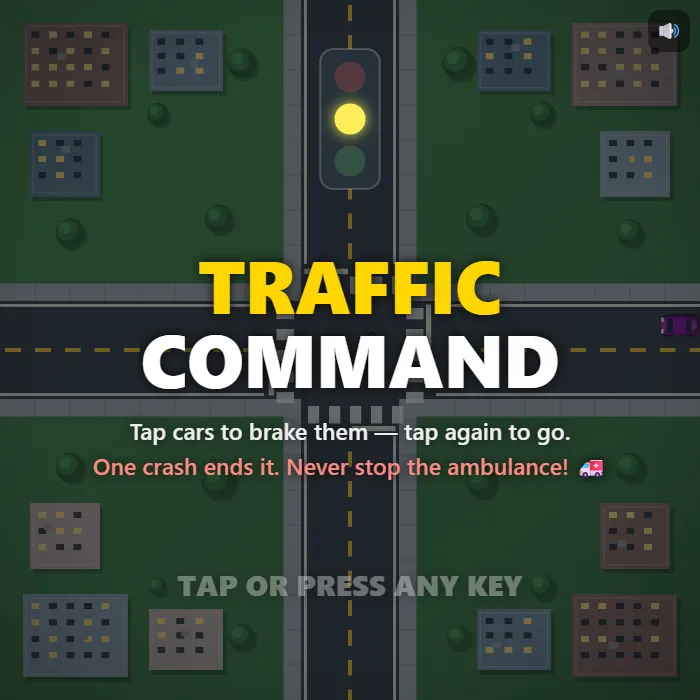
The traffic lights are out and you're the only thing standing between four streams of cars and a pile-up. Tap cars to brake them, release them into gaps, and keep the intersection flowing — one crash ends it all.
About Traffic Command
Traffic Command drops you above a busy crossroads with no signals, no barriers, and no help — just your finger. Every car on screen is yours to command: tap one and its brake lights flare as it squeals to a stop, tap it again and it accelerates back into the flow. Sedans zip, taxis push their luck, and buses and trucks lumber through needing twice the gap, so every release is a small judgment call about speed, spacing, and nerve.
The pressure builds fast. Hold a driver too long and they start honking and creeping into the junction whether you like it or not. An ambulance will occasionally come screaming through — you can't stop it, so you have to stop everyone else. Clear twenty cars and the next level opens: more directions, quicker traffic, and eventually a wider four-lane crossing where cars flick their blinkers and turn across oncoming streams.
It's a one-thumb reflex puzzle in the classic intersection-controller mold: thirty-second rounds, near-miss bonuses that reward shaving it close, and exactly one mistake allowed. Perfect for anyone who's ever sat at a red light convinced they could do it better.
Unblocked Chromebook No Download Mobile For Kids Quick Games
How to play Traffic Command
Cars roll toward the crossing from every direction at different speeds. Tap or click a car to make it brake, then tap it again to send it on its way. Every car that clears the intersection scores points, close calls earn a bonus, and every twenty cars raises the level. A single collision ends the run.
Controls
Desktop: click cars to stop and release them, M toggles sound. Touch: tap cars — the hitboxes are big and forgiving. That's the whole wheel.
Tips & tricks
- Brake cars early, out on the approach road — a car stopped at the stop line is a solved problem, one stopped mid-intersection is a target.
- Buses and trucks are long and slow to get rolling, so give them a bigger gap than feels necessary before you wave them through.
- Don't leave drivers parked forever: once they start honking they creep forward on their own, straight into the crossing if you ignore them.
- When the siren starts, forget scoring — hold everything near the ambulance's road and let it fly through for a +25 bonus.
Frequently asked questions
Is Traffic Command unblocked at school or work?
Traffic Command is a plain web page of about 41 KB — no plugin, no installer, no app store — so it loads on a Chromebook or a locked-down school or office laptop the same way any other page does, and the whole game arrives in one short download. Whether it opens comes down to your network's filter rather than the game itself.
Who made Traffic Command?
Traffic Command was built in-house by the 360 PlayZone team using open web technology (HTML5), which is why it runs instantly without any download.