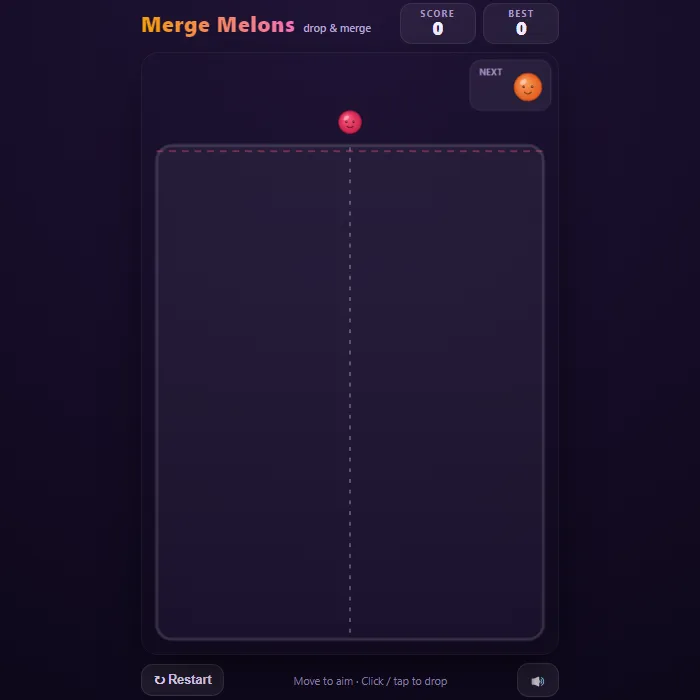
Drop fruit into a jar and watch two of a kind fuse into something bigger. Cherries become clementines, oranges become melons. Keep the pile below the line and chase that one glorious giant melon.
About Merge Melons
Merge Melons is the deceptively cosy physics puzzler where a single wrong drop can undo a beautiful plan. You slide a little fruit along the mouth of a tall glass jar and let it go; it tumbles, jostles, and settles into the growing pile. Touch two of the same kind together and they pop into the next fruit up the chain, cherry to clementine to grape and all the way to a plump green melon, with the score climbing faster the bigger the merge.
The loop is pure one-more-go bait. Early on you're merrily stacking, but soon the jar fills and every drop becomes a real decision: nudge that stray orange into its twin buried near the wall, or bank a safe spot and pray the next fruit is kind. The best moment is the chain reaction, when one careful drop sets off a cascade that clears half the jar at once and leaves you a clean canvas.
It's for anyone who likes a calm, tactile puzzle they can pick up for two minutes or lose an hour to. Beat your best, then beat it again.
Inside Merge Melons: what we checked
The numbers below come from Merge Melons's own source code, and the screenshots are from our own test run of the game (20 October 2026).
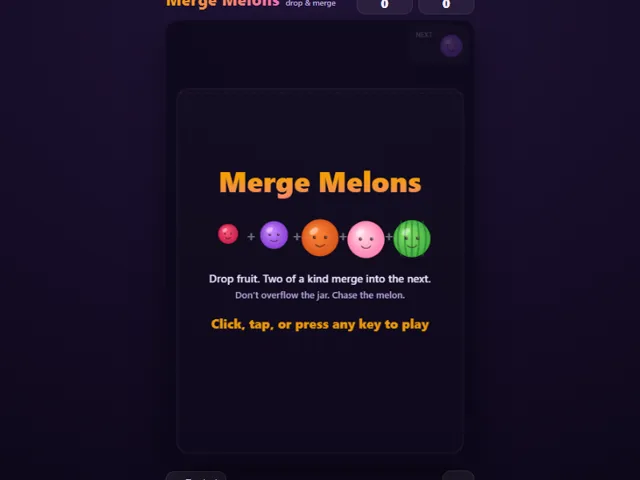
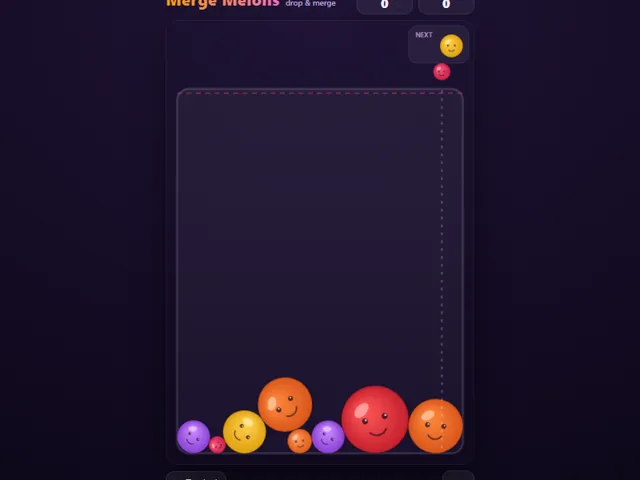
- There are eight fruits in the chain: cherry, clementine, grape, lemon, orange, apple, peach and melon. Two melons do not merge, so the melon is the top of the chain.
- Only the first five (cherry up to orange) are ever dropped, each equally likely, so you cannot be handed a big fruit. The NEXT box shows what comes after the one you are holding.
- A merge scores the square of the new fruit's place in the chain: 4 points for a clementine, 9 for a grape, 16 for a lemon, up to 64 for a melon.
- The red dashed line near the top of the jar is the limit. The game ends only if a settled fruit stays with its centre above that line for about one second, so a brief bounce or a poke over the line is forgiven.
- After each drop there is a short wait of about a third of a second before you can drop again.
- Left/Right or A/D nudge the drop position, Space, Enter or Down drops, R restarts and M mutes. Your best score is kept in this browser's local storage.
Unblocked Chromebook No Download Mobile For Kids Brain Games
How to play Merge Melons
Move along the top of the jar to line up your shot, then drop the fruit and let gravity do the rest. When two fruits of the same size touch, they merge into the next-bigger one and you score. Keep merging to make room, and don't let the pile stay above the top line or the jar overflows and the run ends.
Controls
Mouse or finger to aim, click or tap to drop. Keyboard: left/right arrows (or A/D) to move, space or down to drop, R to restart, M to mute.
Tips & tricks
- Watch the NEXT badge and plan two drops ahead, not just the one in your hand.
- Keep your biggest fruits low and to one side so small ones have room to find their partners.
- Nudge a fresh drop against a same-size fruit near a wall to trigger a merge instead of piling on top.
- One clean merge can chain into several; set up a run of matching pairs and cash it all at once.
Frequently asked questions
Does Merge Melons save my progress?
Yes — Merge Melons keeps your best score and settings in this browser's local storage, so they are still there when you come back on the same device. Nothing is uploaded and no account is involved — clearing your browser data is what resets it.
Is Merge Melons unblocked at school or work?
Merge Melons is a plain web page of about 24 KB — no plugin, no installer, no app store — so it loads on a Chromebook or a locked-down school or office laptop the same way any other page does, and the whole game arrives in one short download. Whether it opens comes down to your network's filter rather than the game itself.
Who made Merge Melons?
Merge Melons was built in-house by the 360 PlayZone team using open web technology (HTML5), which is why it runs instantly without any download.