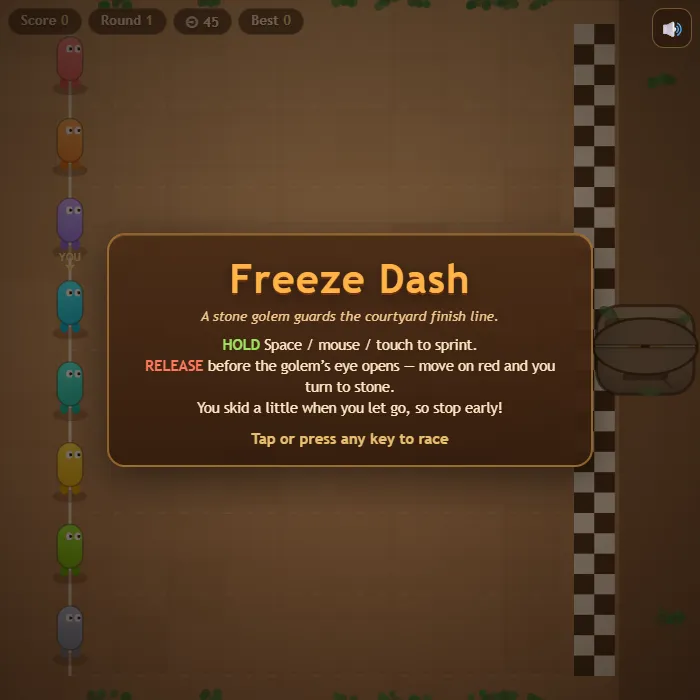
Red light, green light — statue garden edition. Sprint while the golem's eye is shut, freeze the instant it opens, and beat seven rival runners to the finish before you become the newest statue.
About Freeze Dash
Freeze Dash drops you into a sun-baked courtyard watched over by a giant enchanted golem head. While its stone eye is closed you are free to sprint for the finish line; the moment a warning chime sounds, the eye starts to open — and anyone still moving when it glows red gets zapped into a garden statue on the spot. The catch is momentum: you skid a little after you let go, so the good players release early and glide to a stop just as the eye snaps open.
You share the course with seven AI runners who all have their own nerve. Cautious ones freeze at the first chime and lose ground; greedy ones steal an extra half-step and sometimes pay for it in stone. Each round the greens get shorter, fake-out flickers start baiting early stops, and sliding stone blocks wander into your lane. Finish high in the pack for a bigger bonus, then do it again with less room for error. It's a one-button game about reading a rhythm and refusing to panic — easy to start, genuinely tense by round five.
Unblocked Chromebook No Download Mobile For Kids Quick Games
How to play Freeze Dash
Hold to run and release to freeze. Sprint while the golem's eye is closed, and stop the moment you hear the warning chime — if you're still moving when the eye turns red, you're out. Reach the finish line before the round timer runs out, then survive tougher rounds with shorter greens, fake-outs, and sliding stone blocks. Finishing position decides your bonus points.
Controls
Desktop: hold Space (or W / arrow keys, or the mouse button) to run, release to stop, M to mute. Touch: hold anywhere on the screen to run, let go to freeze.
Tips & tricks
- Release at the warning chime, not at the red — your runner skids a short distance after you let go, and that skid is what gets most people petrified.
- Short controlled bursts beat one long sprint: you carry less momentum, so you can stop almost instantly when the chime sounds.
- Watch the greedy runners like Onyx — they steal ground into the warning. Copy them on long greens, ignore them once the greens get short.
- Fake-out flickers only cost you if you panic. If the eye goes amber and closes again, you lose nothing by standing still for a beat.
Frequently asked questions
Is Freeze Dash unblocked at school or work?
Freeze Dash is a plain web page of about 34 KB — no plugin, no installer, no app store — so it loads on a Chromebook or a locked-down school or office laptop the same way any other page does, and the whole game arrives in one short download. Whether it opens comes down to your network's filter rather than the game itself.
Who made Freeze Dash?
Freeze Dash was built in-house by the 360 PlayZone team using open web technology (HTML5), which is why it runs instantly without any download.