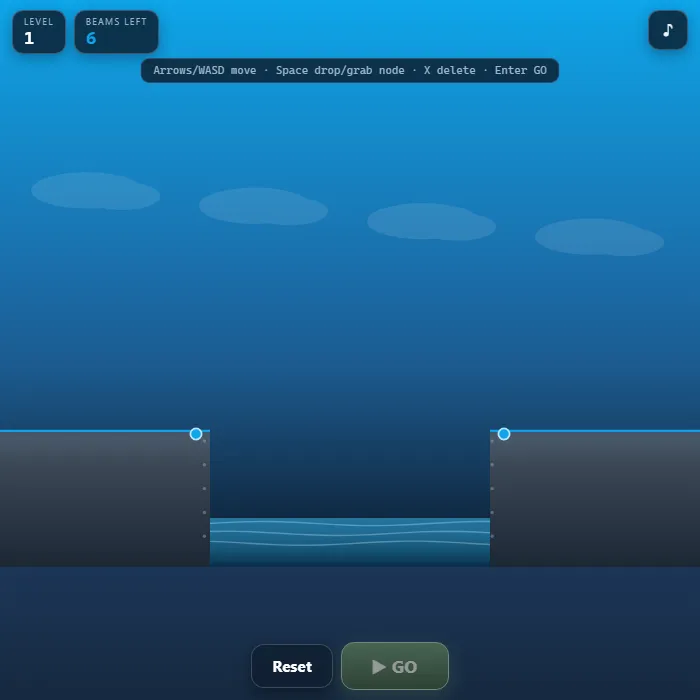
A physics bridge-building puzzle. Span a chasm by placing steel struts between fixed anchor points within a limited beam budget, then send a rover rolling across. Build smart trusses, watch your beams glow green-to-red under stress, and reinforce before they snap. 10 hand-designed levels of widening gaps, mid-river pillars, and uneven ledges.
About Bridge Builder
Bridge Builder is a hands-on structural-engineering puzzle powered by a real rigid-body physics engine. Every beam you place becomes a load-bearing strut, and the moment you hit GO, gravity and a moving rover put your design to the test. Beams flex, sag, and change color as stress builds: cool green means safe, yellow is strained, and red is moments from failure. Push a beam too far and it snaps with a shower of sparks, dropping your bridge into the river below. The art is drawn entirely with canvas vector work over a moody sky-to-steel gradient, the rover and water are animated live, and every sound is synthesized on the fly, so the whole game is a single self-contained file with nothing loaded from the network. Across ten escalating levels you will learn the engineer's core trick: triangles do not fold. Master the truss and no gap is too wide.
Inside Bridge Builder: what we checked
The numbers below come from Bridge Builder's own source code, and the screenshots are from our own test run of the game (20 October 2026).
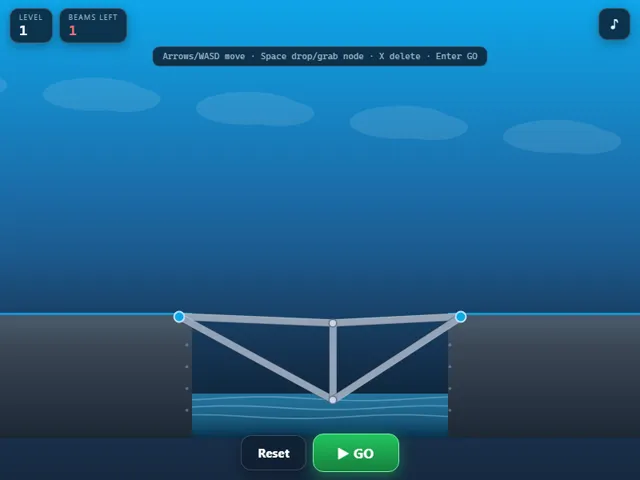
- There are 10 levels, and the beam budget grows with the gaps: 6 beams on level 1, then 8, 9, 9, 12, 13, 13, 15 and 16, up to 18 on the last level, Master Crossing.
- A single beam can be at most 320 units long, and very short ones (under 22 units) are ignored. Wide gaps need several beams chained together, not one long span.
- A beam breaks when its length changes by more than 32% from where you built it, stretched or squashed. Beams colour from green to red as they approach that point.
- You fail if the rover falls into the chasm, or if it stops making forward progress for about two and a half seconds on a bridge that sags too much.
- Keyboard building works too: arrows or WASD move a cursor on a 40-unit grid, Space drops or grabs a point, X or Delete removes a beam, Enter is GO, R resets and N goes to the next level.
- The furthest level you have reached is kept in this browser, and the game reopens on it.
Unblocked Chromebook No Download Mobile For Kids Brain Games
How to play Bridge Builder
Each level gives you a start ledge, an end ledge, fixed blue anchor points, and a beam budget shown in the HUD. Drag from one point to another to lay a steel beam between them; you can chain beams off the ends of previous beams to grow your structure out across the gap. Build a path the rover can roll along, then add struts and diagonals underneath so the bridge can carry its weight. When you are ready, press GO and the rover drives from the left ledge across your bridge. If the structure holds and the rover reaches the far ledge, the level is solved. If beams over-stretch they turn red and snap, and if the rover falls into the chasm the bridge has collapsed. Reset to edit your design and try again. The strongest, cheapest bridges are made of triangles, not long flat spans.
Controls
Mouse/touch: drag between two points to place a beam; tap a beam to delete it; use the GO, Reset, and Next buttons. Keyboard: Arrow keys or WASD move the grid cursor, Space grabs a point and places a beam to the next point, X (or Delete) removes a beam under the cursor, Enter triggers GO (or Next after a win), R resets the level, N advances to the next level, and M toggles mute.
Tips & tricks
- Triangles are unbreakable shapes. Add diagonal beams to turn weak rectangles into rigid trusses that won't fold under the rover.
- Long single beams sag and snap. Break a wide span into shorter segments with support struts running down to a lower anchor or pillar.
- Watch the colors during the test: any beam glowing yellow or red is your weak link. Reset and add a strut right there before it fails.
- Use mid-gap pillars and both ledges as anchor points. Tying your bridge to multiple fixed supports spreads the load and saves beams.
Frequently asked questions
How many levels does Bridge Builder have?
Ten hand-designed levels, from a short first gap to wide chasms, mid-river pillars and uneven ledges. Each level gives you a fixed beam budget, so the cheapest bridge that holds is the real goal.
Why does my bridge keep collapsing?
Long flat spans bend and snap. Add diagonal struts underneath so the structure is made of triangles, and watch the beam colours when you press GO: green is safe, yellow is strained and red is about to fail.
Does Bridge Builder save my progress?
Yes — Bridge Builder saves your progress and settings in this browser's local storage, so you can pick up where you left off on the same device. Nothing is uploaded and no account is involved — clearing your browser data is what resets it.
Is Bridge Builder unblocked at school or work?
Bridge Builder is a plain web page of about 49 KB — no plugin, no installer, no app store — so it loads on a Chromebook or a locked-down school or office laptop the same way any other page does, and the whole game arrives in one short download. Whether it opens comes down to your network's filter rather than the game itself.
Embed Bridge Builder
From our blog
Bridge Builder features in Physics Games Online: Bridge Builder, Wobble Tower, Artillery Duel and the Best of 40 Rigid-Body Games.