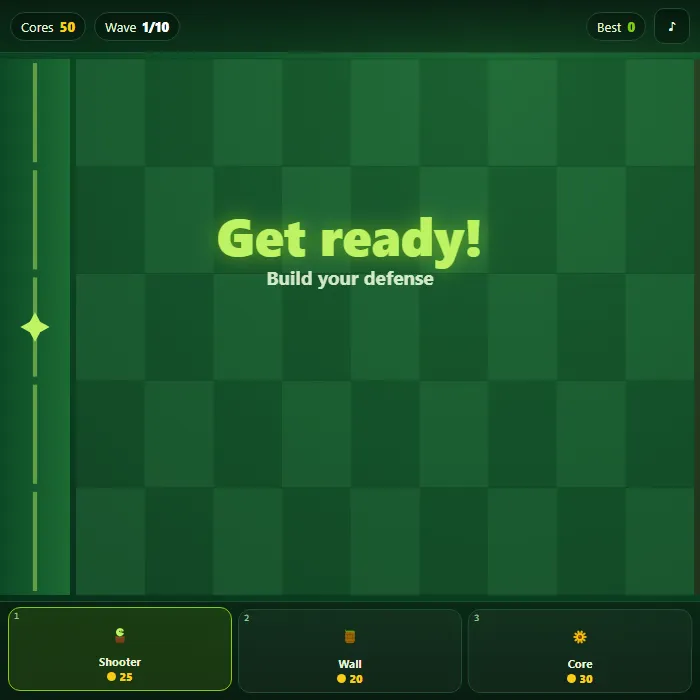
Defend your garden across five lanes in this fast, juicy tower-defense romp. Spend regenerating cores to sprout Shooters, raise Walls, and plant Core generators, then hold the line through ten escalating waves of hungry critters before they reach your roots.
About Lane Defense
Lane Defense is an original, single-file lane defense game with a fresh garden-vs-critters theme. Critters advance from the right along five lanes toward the base on the left, and you stop them by placing three kinds of defenders on the grid: a Shooter that fires down its lane, a high-HP Wall that soaks damage, and a Core generator that pays for everything else. Cores trickle in passively and drop as collectible coins you tap to grab, so every placement is a real economic decision. The whole thing is hand-drawn on a Canvas with synthesized WebAudio sound, generous particles, screen shake, slow-motion brute kills, floating score pops, and a tense final-wave surge. It is fully playable by mouse, touch, or keyboard and remembers your best wave.
Inside Lane Defense: what we checked
The numbers below come from Lane Defense's own source code, and the screenshots are from our own test run of the game (20 October 2026).
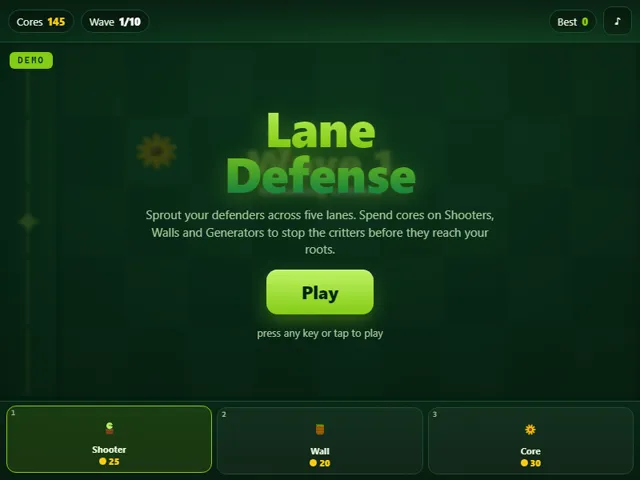
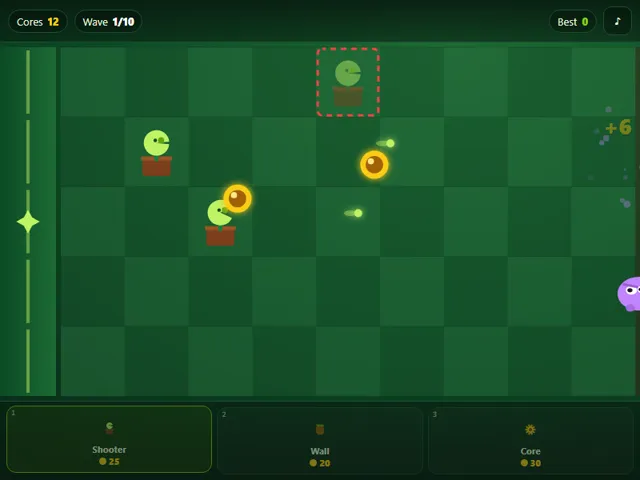
- You start with 50 cores. A Shooter costs 25, a Wall 20 and a Core generator 30. Keys 1, 2 and 3 pick them from the bar.
- Shooters have 60 health and fire every 1.2 seconds for 20 damage. Walls have 300 health, and a generator only 50.
- Every 4.2 seconds a 15-core coin falls from the sky, and each generator drops a 25-core coin every 6.5 seconds. Coins you do not tap vanish after about nine seconds.
- Critters come in three kinds: crawlers (45 health), runners (30 health, nearly twice as fast) and brutes (160 health, slow and hitting for 30). Runners appear from wave 2 and brutes from wave 3, and every wave makes them 12% tougher.
- Wave 10 adds a surge on top of the usual crowd: a brute in every lane, then eight tougher runners. Clearing it wins the game.
- Your best wave is kept in this browser.
Unblocked Chromebook No Download Mobile
How to play Lane Defense
Pick a defender from the bar at the bottom (Shooter, Wall, or Core), then click or tap any empty cell on the 5-lane grid to plant it for its core cost. Cores regenerate slowly on their own and pop up as golden coins around the field; tap a coin to collect it instantly. Core generators produce extra coins, Shooters automatically fire at any critter in their lane, and Walls block advancing critters that would otherwise stroll to your base. Critters attack whatever defender stands directly in front of them. Survive all ten waves to save the garden; lose the moment a single critter reaches the base edge on the left. Wave one starts after a short build window, so plant a generator or two early to fund your defense.
Controls
Mouse/touch: tap a unit in the bottom bar to select it, tap an empty cell to place it, tap a floating core to collect it. Keyboard: keys 1/2/3 select Shooter/Wall/Core (Tab cycles), Arrow keys or WASD move the placement cursor, Enter or Space places the selected unit (or grabs a core on that cell). Press M to mute or unmute. Any key, tap, or the Play button starts a fresh game from the demo screen.
Tips & tricks
- Lead with one or two Core generators in the back column early, while waves are weak, so you can afford a wall of Shooters before the brutes arrive.
- Walls are cheap HP, not damage. Plant a Wall in front of your Shooters to keep critters pinned in range and chewing on the Wall instead of slipping past.
- Tap those golden coins fast: cores left on the field eventually fade, and a few missed pickups can leave you short when a lane breaks.
- Watch the spawn pattern and reinforce the most-threatened lane first. Fast runners punish empty lanes, while slow brutes give you time to stack Shooters.
Frequently asked questions
Does Lane Defense save my progress?
Yes — Lane Defense keeps your best score and settings in this browser's local storage, so they are still there when you come back on the same device. Nothing is uploaded and no account is involved — clearing your browser data is what resets it.
Is Lane Defense unblocked at school or work?
Lane Defense is a plain web page of about 48 KB — no plugin, no installer, no app store — so it loads on a Chromebook or a locked-down school or office laptop the same way any other page does, and the whole game arrives in one short download. Whether it opens comes down to your network's filter rather than the game itself.
Who made Lane Defense?
Lane Defense was built in-house by the 360 PlayZone team using open web technology (HTML5), which is why it runs instantly without any download.