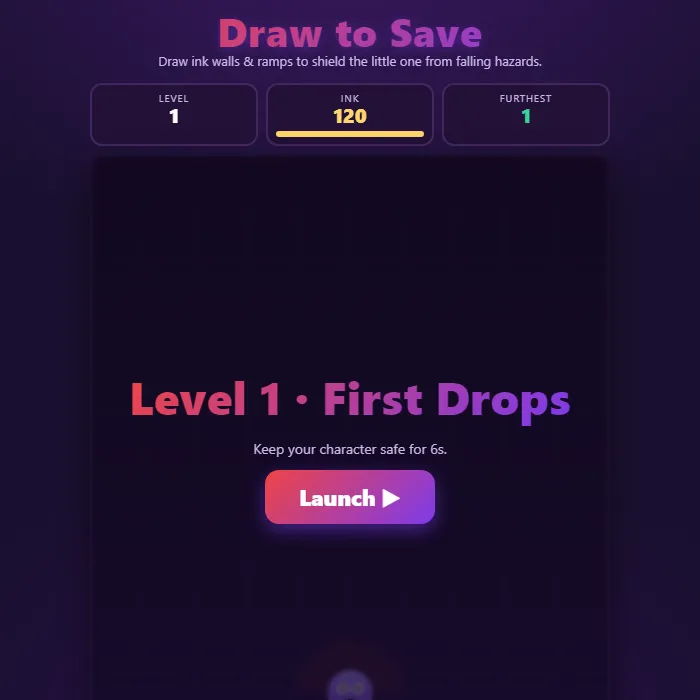
A draw-physics puzzle: ink your own walls and ramps to deflect falling hazards and keep your little character safe. Limited ink, escalating levels, and a couple of catch-the-star twists.
About Draw to Save
Draw to Save is a physics puzzle built around a single, satisfying idea: the lines you draw become real, solid objects in the world. A small character waits at the bottom of the screen while rocks and balls tumble down from above. You don't move the character. Instead, you grab your ink and sketch walls, ramps, and funnels that bounce, slow, and steer everything that falls. Every stroke you make is a physical body the hazards collide with, so a quick diagonal line can send a boulder skidding harmlessly off to the side. The catch is your ink meter: each level gives you a fixed budget, so you have to think like an engineer and spend every drop wisely. Most levels ask you to keep the character safe for a set time, while others flip the goal and challenge you to guide a falling star down into the character's arms by building the right chute. Eight handcrafted levels ramp up from a single gentle drop to a full downpour of crossfire. Everything is drawn with canvas art and synthesized sound, with a relaxed neon look that runs smoothly on phones and desktops alike.
Unblocked Chromebook No Download Mobile For Kids Brain Games
How to play Draw to Save
Press and drag anywhere on the play area to draw a glowing ink stroke. The moment you let go, that stroke turns into a solid wall or ramp that hazards will bounce off of. Each level shows a goal banner with a Launch button. Draw your defenses first if you like, then press Launch (or Enter/Space) to release the hazards. In survive levels, protect the character at the bottom until the timer at the top runs out. In catch levels, build a funnel so the falling star slides down into the character instead of slipping past. Watch your ink meter in the top bar, it never refills mid-level, so plan your strokes. If a hazard touches the character you lose the level and can retry instantly; clear the goal and you advance, with your furthest level saved automatically.
Controls
Mouse or touch: press and drag on the canvas to draw an ink wall or ramp; release to set it solid. Use the on-screen buttons to Restart the level, step Levels back and forth, and toggle mute. Keyboard: R restarts the current level, the [ and ] keys move to the previous and next level, Enter or Space launches the hazards and advances after a win or loss, and M toggles mute. Any key or tap also skips the opening demo and starts a real game.
Tips & tricks
- Short, thick strokes near the character act like sturdy roofs; long thin lines flex less but cover more ground for the ink they cost.
- Angle your walls instead of laying them flat. A slope sends hazards sliding off to the sides rather than letting them pile up and roll back onto you.
- Save ink early. The first levels are easy to clear with one stroke, so bank the leftover budget mentally for the crowded levels later.
- On catch levels, build a V-shaped funnel above the character so the star is steered inward while hazards get deflected outward.
Frequently asked questions
Is Draw to Save unblocked at school or work?
Draw to Save is a plain web page of about 35 KB — no plugin, no installer, no app store — so it loads on a Chromebook or a locked-down school or office laptop the same way any other page does, and the whole game arrives in one short download. Whether it opens comes down to your network's filter rather than the game itself.
Who made Draw to Save?
Draw to Save was built in-house by the 360 PlayZone team using open web technology (HTML5), which is why it runs instantly without any download.