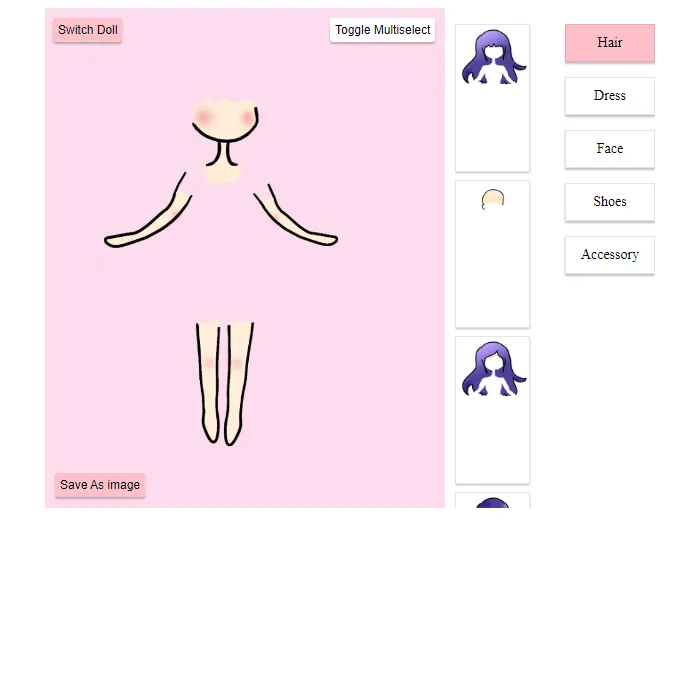
Click through Hair, Dress, Face, Shoes and Accessory tabs to build a paper doll one piece at a time, drag the applied layers to reorder them, then export your finished doll as a PNG image.
About Doll Maker
Doll Maker builds a look one click at a time. Open a category — Hair, Dress, Face, Shoes or Accessory — and tap any thumbnail to drop it onto the doll standing in the canvas; tap it again to take it back off. By default picking a new option in a category swaps out whatever was there before, but flipping on Multiselect lets you stack several pieces from the same category at once, handy for hair plus a hair accessory or layered jewelry.
Every piece you've applied shows up in a list on the side, and that list is drag-to-reorder, so you can pull an accessory above or below a dress if it's drawing on the wrong layer. Switch Doll opens a second slot to build a completely different look without losing the first, Save Dolls keeps your whole collection in the browser for next time, and Save As Image exports whichever doll is on screen as a real PNG. Open-source game by wolfderechter, used under the MIT license.
Unblocked Chromebook No Download Mobile For Kids Classic
How to play Doll Maker
Click a category tab — Hair, Dress, Face, Shoes or Accessory — then click any thumbnail to add it to the doll; click it again to remove it. Turn on Multiselect if you want more than one item from the same category applied at once, since by default a new pick replaces the old one. Drag entries in the applied-options list to change which layer sits on top, and use Switch Doll to start a second look from scratch. When you're happy with a doll, Save Dolls to keep it for later or Save As Image to export a PNG.
Controls
Point-and-click (or tap) to apply pieces from each category; reordering the applied-layers list is drag-and-drop, which works with touch as well as a mouse.
Tips & tricks
- Turn on Multiselect before you touch the Accessory or Hair tab if you want to combine more than one piece — without it, picking a second item just swaps out the first.
- If a new piece is hiding behind one you already placed, drag it up in the applied-options list instead of removing and re-adding it.
- Build outfits in back-to-front order — dress and shoes first, hair and face last — so you spend less time dragging layers around afterward.
- Click Save Dolls before you close the tab if you want to come back to a doll later; Save As Image only exports a picture, it doesn't keep the doll editable.
Frequently asked questions
Is Doll Maker unblocked at school or work?
Doll Maker is a plain web page of about 44303 KB — no plugin, no installer, no app store — so it loads on a Chromebook or a locked-down school or office laptop the same way any other page does, and the whole game arrives in one short download. Whether it opens comes down to your network's filter rather than the game itself.
Who made Doll Maker?
Doll Maker is a free browser edition of a well-known classic, rebuilt with modern web technology so it runs anywhere.