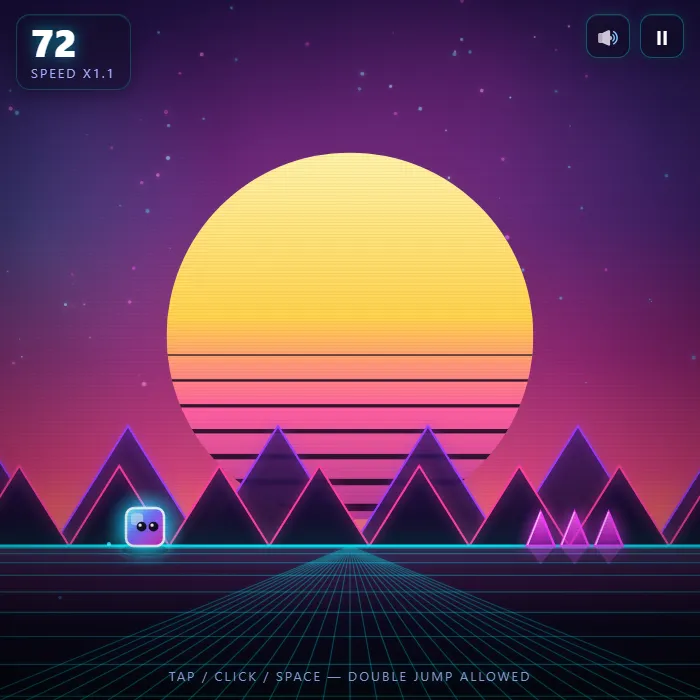
Hop a glowing cube over an endless neon obstacle course set to a pulsing beat. One tap jumps, another in the air double-jumps. How far can you dash?
About Cube Dash
Cube Dash is a neon runner that fits in your reflexes and refuses to let go. A glowing cube sprints forward on its own, the track pulses to a beat, and spikes and blocks keep coming while the whole thing quietly speeds up. Your only job is timing: one tap to jump, a second tap in the air for the double-jump that clears the wide gaps and the tall stacks nothing else will save you from.
The magic is in the rhythm. Once you stop staring at the cube and start feeling the beat, obstacles almost announce themselves before they arrive. There's a lovely, risky trick where you jump a hair late off a ledge to squeeze out extra distance, and an even trickier discipline: hoarding that second jump instead of burning it on the first small spike, so it's ready when a real chasm opens up.
It rewards focus, not fingers, so it suits anyone chasing a personal best in short, punchy runs. You'll die a lot. You'll also whisper "one more" and mean it.
Unblocked Chromebook No Download Mobile For Kids Quick Games
How to play Cube Dash
The cube runs on its own and picks up speed the further you get. Tap to jump over spikes and blocks, then tap again mid-air for a double-jump across the tougher gaps. Sync your jumps to the rhythm of the course. Survive as long as you can to rack up distance points.
Controls
Tap, click, or press Space / Up to jump (press again in the air to double-jump). On-screen mute and pause buttons.
Tips & tricks
- Jump a touch late off the edge for extra distance.
- Save your double-jump for wide gaps and tall blocks.
- Find the rhythm — the obstacles follow a beat.
Frequently asked questions
Is Cube Dash unblocked at school or work?
Cube Dash is a plain web page of about 55 KB — no plugin, no installer, no app store — so it loads on a Chromebook or a locked-down school or office laptop the same way any other page does, and the whole game arrives in one short download. Whether it opens comes down to your network's filter rather than the game itself.
Who made Cube Dash?
Cube Dash was built in-house by the 360 PlayZone team using open web technology (HTML5), which is why it runs instantly without any download.
Embed Cube Dash
From our blog
Cube Dash features in Games Like Level Devil — Trap Platformers That Lie to Your Face.